
Cinema and theater operations
Handle specialized premises, peak schedules, concessions and multi-role staffing.
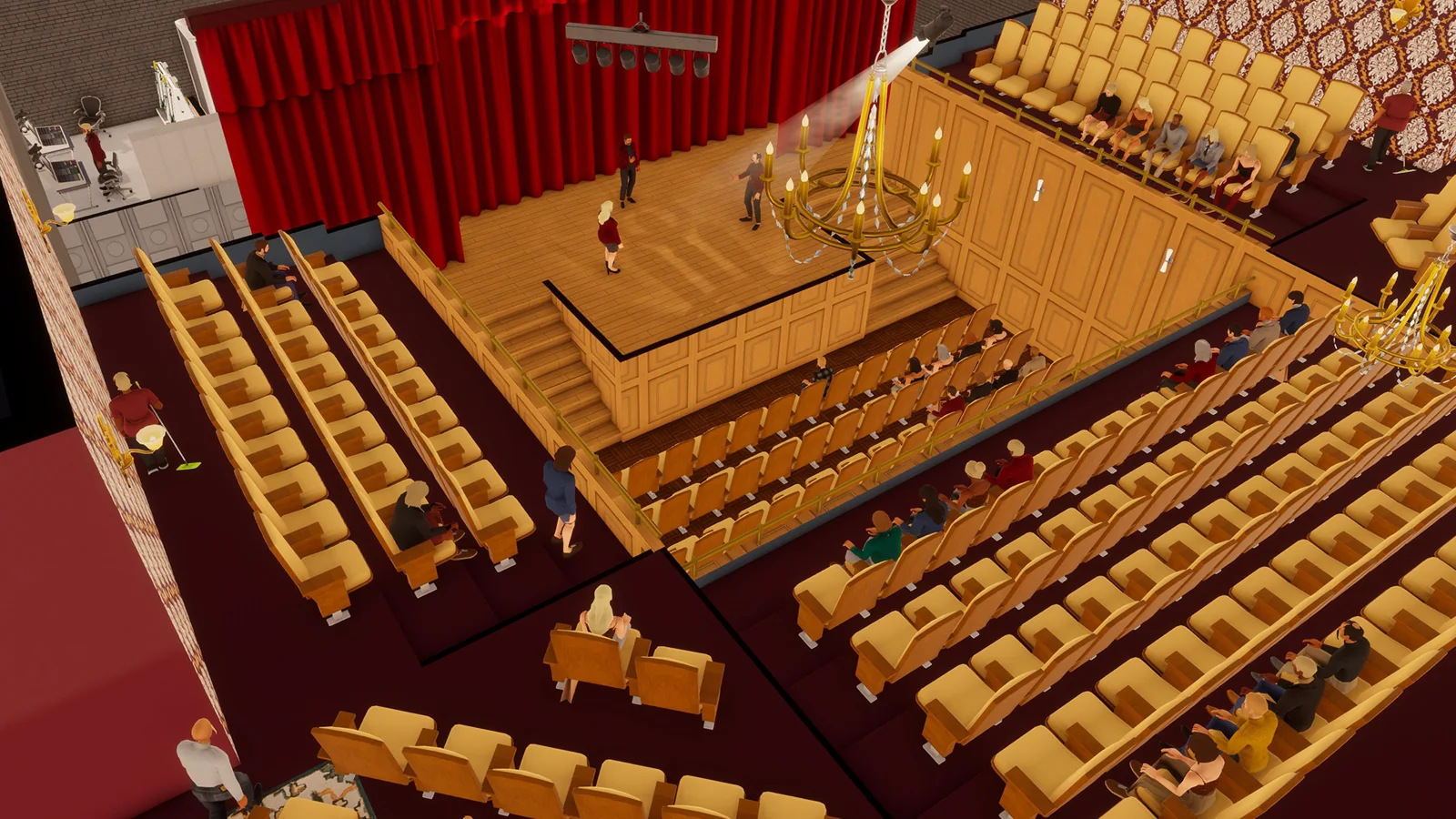
Decision first
Open entertainment venues only when capital and recruiting can cover specialized equipment and narrow peak demand.
Cinemas and theaters are live public-branch businesses, not roadmap promises. They arrived in the full EA 0.10 release on March 11, 2026 and remain part of version 1.0 build 3674. Official notes describe both as the game's largest high-end businesses with steep licensing fees.
Confirm the game is on public build 3674 before reproducing old venue reports.
Complete operating playbook
- ARTICLE LENGTH
- 6,172 words
- DEEP-DIVE SECTIONS
- 15
- RESEARCH LEDGER
- 12
Cinema and theater status in version 1.0
Cinemas and theaters are live public-branch businesses, not roadmap promises. They arrived in the full EA 0.10 release on March 11, 2026 and remain part of version 1.0 build 3674. Official notes describe both as the game's largest high-end businesses with steep licensing fees.
Their release introduced specialized entertainment employees, purpose-built buildings, concessions, and Red Carpet suppliers. The official role list names Actors, Stage Crew, and Projectionists. In practice, read each venue's current BizMan requirements and help entries before recruiting: cinema and theater use different specialist workflows, and a role named in the joint release announcement should not be assumed to work at every station in both businesses.
Several post-launch patches corrected important edge cases. Build 3461 addressed cinema and theater schedule demands and changed the Concessions Stand Register so it no longer uses paper bags. Version 0.11 fixed venues that could not reach full marketing effectiveness, missing delivery spots, and entrance freezes. Those notes explain why a March preview or first-day layout may behave differently from build 3674, but they do not establish that every current venue is free of pathing or performance problems.
The public Workshop lists cinema and theater blueprints and filters for their special building classes. Those listings are community content, not proof of an official optimal layout. Workshop item counts change, creators can update or abandon files, and a title that says 1.0 compatible is only the creator's claim until reproduced. Use official notes for feature status and current in-game panels for requirements, then treat blueprints as inspectable starting designs.
Action checklist
- Confirm the game is on public build 3674 before reproducing old venue reports.
- Read the current license, building, role, and station requirements in game.
- Do not use an EA 0.10 preview warning as if it describes the final public release.
- Treat Workshop compatibility labels as claims that require a clean test.
| Evidence | What it establishes | What it does not establish |
|---|---|---|
| EA 0.10 full release | Both venue types, specialist roles, concessions, and high entry cost shipped | Current exact license fee or profitability. |
| 0.10 and 0.11 patches | Specific scheduling, marketing, entrance, and delivery defects were fixed | Universal absence of later defects. |
| Build 3674 notes | Current documented public hotfix state | A venue-specific balance sheet. |
| Steam Workshop | Community layouts and mods exist | Official endorsement or guaranteed 1.0 compatibility. |
Capital gates before licensing
The license is only the visible gate. A viable launch also needs the rare correct building, fit-out, specialist recruitment and training, opening inventory, marketing tests, operating runway, taxes, and enough revision capital to fix the first layout without destabilizing the portfolio.
Record the current license fee from the live interface rather than copying an old guide. The official release only commits to steep fees, and later economy patches changed multiple systems. Add the property deposit or purchase, every required customer and staff station, seating or performance infrastructure, restrooms and employee needs, storage, concessions equipment, delivery setup, recruiting costs, training wages, and the inventory required to survive the first supplier interval.
Separate launch capital from protected liquidity. Version 1.0 increased loan friction through higher interest, stronger income requirements, and minimum daily payments, while adding partial repayment. It also reworked tax projections and late-payment consequences. Keep payroll, rent, debt minimums, replenishment, and projected taxes funded through a conservative weak period. If the venue can open only by assuming instant sellouts, flawless recruitment, or immediate refinancing, the capital gate has not been passed.
Preserve a redesign allowance. Large venues can fail because a required station category is undersized, staff routes are poor, delivery placement is awkward, or opening hours miss the real peak. Spending every remaining dollar on decoration makes a correctable design error existential. A staged opening with a functional interior, measured demand, and a controlled decor upgrade is more informative than a spectacular room whose losses are hidden by the rest of the portfolio.
Action checklist
- Read the current license fee and property terms from build 3674.
- Price all required stations, specialist recruitment, stock, logistics, and staff facilities.
- Protect taxes, debt payments, and operating runway before approving the fit-out.
- Reserve capital for one evidence-driven layout and schedule revision.
| Gate | Included costs | Failure signal |
|---|---|---|
| Legal and property | License, deposit or purchase, rent | The venue consumes protected operating cash before opening. |
| Functional fit-out | Required stations, seating, staff needs, storage | Decor is funded while a required workflow is incomplete. |
| People and supply | Recruitment, training, concessions, delivery | Opening depends on untrained specialists or emergency shopping. |
| Runway and revision | Weak-period liquidity and correction budget | One disappointing week threatens the whole portfolio. |
Choose the building before designing the venue
Cinema and theater use uncommon large building classes. A beautiful concept made for the wrong shell is not a plan. Verify business permission, building capacity, address, traffic, rent, parking, delivery access, and the exact blueprint size before buying any interior package.
Use VoogleMaps to inspect every current candidate. The fan-maintained Bigger Ambitions building table can accelerate the search and exposes useful class and capacity fields, but its rows are not an official 3674 dataset. Confirm decisive details in the live save. Workshop filters currently separate cinema and theater and expose special size labels; that helps find a matching community layout, yet the in-game building panel remains the authority for the property actually being leased.
Capacity is not the same as expected attendance. A developer explanation from January 2024 says the building maximum is a hard ceiling while demand, competition, satisfaction, promotion, and station capacities determine how much of it is used. That conceptual model predates these venue businesses but remains useful. A larger hall creates optional throughput and higher fixed exposure; it does not automatically summon enough customers to cover the rent, license, and roster.
Visit the site during intended peak hours. Record curb access, garage or lot entrance, subway distance, delivery placement, and the vehicle turn. Version 0.11 fixed missing delivery spots and entrance freezes for cinemas and theaters, so reports from earlier builds may describe corrected defects. Nevertheless, reproduce the route on 3674 with the intended truck and inspect pedestrian paths before committing. Operational convenience and customer acquisition are separate observations.
Action checklist
- Confirm the venue type is permitted in the candidate building.
- Record the current hard customer cap and property cost.
- Match any blueprint to the exact venue and building size filter.
- Drive and walk the entrance, parking, and delivery routes at working hours.
| Property field | Decision use | Verification source |
|---|---|---|
| Venue permission and class | Determines whether the concept fits at all | Current VoogleMaps property panel. |
| Customer maximum | Caps useful station investment | Property panel and BizMan. |
| Traffic and demand | Informs acquisition potential | VoogleMaps and district-checked MarketInsider. |
| Delivery and access | Controls restocking and player friction | Physical build-3674 route test. |
The cinema workflow
A cinema converts scheduled specialist labor, screening capacity, customer access, and stocked concessions into completed visits. Build the minimum complete loop first, then expand the lowest measured limit rather than filling a large room by intuition.
After acquiring the correct building and license, open the business requirements and help entries. Install every mandatory cinema station and customer need, including the screening and projection workflow shown by the current build, enough seating for the planned first capacity, a functional entrance and checkout path, toilets where required, staff facilities, storage, and a Concessions Stand Register if concessions are part of the plan. Do not infer an exact object list from a decorative Workshop screenshot.
Recruit the current required specialist roles through the available agencies, including C.A.S.T where the interface directs. Projectionist coverage is the obvious cinema-specific risk named by the release, but confirm all role and skill requirements in BizMan. Train before the busiest sessions and map each worker to an eligible station. Schedule relief around the observed peak, not evenly across an arbitrary twelve-hour opening day. A missing specialist can break the core service even while cashiers and cleaners appear idle.
Stock the official entertainment concessions such as Popcorn, Cotton Candy, Slushies, and the products currently accepted by the venue. Build 3461 says the Concessions Stand Register no longer uses paper bags, so a guide that demands bags for that register is outdated. Verify units consumed during a full peak, storage capacity, and the delivery interval. Concessions are a secondary workflow: empty stock loses sales, while excessive inventory locks cash and floor space without increasing screening capacity.
Action checklist
- Complete the current cinema requirements before adding optional decoration.
- Recruit and schedule every specialist role shown in BizMan.
- Test one full screening peak with staff, seating, and projection capacity observed.
- Stock concessions from measured unit use and omit obsolete paper-bag advice.
| Cinema stage | Pass condition | Diagnostic if it fails |
|---|---|---|
| Entry | Customers can enter and reach the purchase flow | Inspect paths, entrance state, opening hours, and coverage. |
| Screening | Eligible projection workflow and seating operate through peak | Check specialist schedule and lowest station capacity. |
| Concessions | Register is staffed and current products remain stocked | Compare unit depletion, storage, and delivery timing. |
| Completion | Visits appear in hourly and financial results | Check satisfaction, price, interruptions, and unmet needs. |
The theater workflow
A theater is a performance operation. Its specialist labor and stage workflow must be complete before premium decor matters. Design around actors, stage crew, audience capacity, service access, and any current concession requirements shown by the build.
Acquire the correct theater building and license, then read the live business requirements. Establish the stage and performance stations, audience seating, entry and transaction path, restrooms, staff needs, storage, and concessions that the interface requires or permits. The 0.10 release introduced Red Carpet Decor and Red Carpet Depot alongside the venues, but the official notes do not say that buying every expensive furnishing creates a fixed revenue multiplier. Meet required environment scores and test optional decor separately.
Recruit Actors and Stage Crew as directed by BizMan and C.A.S.T. Treat each as a distinct capacity category when the interface assigns distinct stations or functions. Extra actors cannot necessarily substitute for missing stage crew, and extra cashiers cannot start a performance. Train the critical team, confirm that every opening block has eligible coverage, and preserve a backup for a role whose absence stops the venue. Observe the actual handoff between entry, seating, and performance at peak speed.
Theater demand can be concentrated, so a broad opening schedule may hide the real economics. Use AI venues for a rough opening-hour hypothesis only, then read yesterday's hourly customer graph. If the venue is empty for long periods and overloaded for a short evening block, move labor and hours toward that block before expanding the building. If attendance never approaches capacity, investigate demand, competition, promotion, traffic, price, and satisfaction before hiring more performers.
Action checklist
- Build every required performance and audience component shown in the current help panel.
- Schedule actors and stage crew as separate critical resources where the venue requires them.
- Observe the complete entry-to-performance path during the busiest hour.
- Use hourly attendance to concentrate labor rather than assuming all-day demand.
| Theater resource | Constraint question | Evidence |
|---|---|---|
| Actors | Are enough eligible performers scheduled for every active block? | Roster, station assignment, and live observation. |
| Stage crew | Can the performance workflow operate continuously? | BizMan requirements and peak test. |
| Audience stations | Is seating or another required category the lowest limit? | Category totals compared with building cap. |
| Concessions and service | Are secondary sales staffed and supplied without blocking entry? | Queues, stock use, and hourly results. |
Capacity is a chain, not a chair count
Large entertainment buildings invite overbuilding. The useful capacity is the lowest required station category, further limited by the building maximum and qualified labor. Seating is only one link in the cinema or theater chain.
Create a capacity sheet with one row per required station category. Total compatible screening or performance positions, seating, entry or register throughput, specialist workstations, and any other mandatory category shown in BizMan. Then take the lowest total. If the building maximum is lower, use the building maximum. This pre-1.0 developer model is a diagnostic framework, not a substitute for the current venue panel, so confirm that the live business recognizes each installed item.
Labor can reduce realized capacity below the furniture total. A projector station without a qualified projectionist, a stage function without eligible crew, or a register outside the worker's shift contributes no useful peak throughput. Overlay the roster on the station sheet by hour. This reveals why buying another station may have no effect: the existing station is already idle from a schedule gap, or a different category remains lower.
Finally compare the ceiling with hourly arrivals. When the graph repeatedly plateaus at the calculated limit and queues or lost customers appear, expand the actual bottleneck if the building cap permits. When attendance remains well below the limit, additional stations and seats add cost without serving anyone. If the site is at its hard building cap, the choice is to optimize value per visitor, accept the ceiling, or open another venue after checking district demand and cannibalization.
Action checklist
- List and total every mandatory station category separately.
- Apply the building maximum after finding the lowest station category.
- Reduce theoretical capacity where specialist labor is absent.
- Add capacity only after the hourly graph repeatedly reaches the limit.
| Layer | Ceiling | Typical mistake |
|---|---|---|
| Building | Property's maximum customers | Buying stations beyond the hard cap. |
| Physical workflow | Lowest required station category | Counting seats while ignoring projection, stage, or service. |
| Labor | Eligible staffed stations by hour | Assuming installed equipment is automatically active. |
| Market | Demand and acquired arrivals | Assuming theoretical capacity will fill itself. |
Specialist staffing and peak coverage
Entertainment venues fail abruptly when a critical specialist is missing. Build the roster around role eligibility and hourly demand, keep relief capacity for the core workflow, and distinguish a labor shortage from a physical or acquisition limit.
Recruit with lead time. Check employee type, skill, training, work-hour preference, full-time or part-time preference, and workplace needs. Assign each person to a compatible function and verify the schedule view has no unstaffed mandatory block. Build 3461 specifically changed venue employee schedule demands and added schedule-management improvements, so screenshots from the initial 0.10 release can be stale even if the venue concept is otherwise correct.
Use direct symptoms. A queue beside an unused eligible station indicates no qualified worker or a routing problem. Every compatible station occupied with a persistent queue indicates physical capacity pressure. Specialists idle while the building is empty indicates that hiring is not the immediate solution. An unexpected closure or stopped performance points first to required-role coverage, business hours, employee needs, and pathing. Name the symptom before changing headcount.
Create a relief plan rather than permanent excess everywhere. Cross-train or retain one backup for each role that can halt the venue. Stagger starts around the observed peak, and use part-time coverage where it fits the interval and employee preference. Compare the same weekday across multiple weeks because entertainment demand can vary. Remove redundant overlap only after the core workflow has run without interruption and the hourly chart confirms the quiet periods.
Action checklist
- Confirm every specialist's role and station eligibility in the current build.
- Schedule the observed peak plus a practical handoff margin.
- Maintain relief for any role whose absence stops screening or performance.
- Use queues and idle stations to distinguish labor from capacity.
| Peak observation | Interpretation | Response |
|---|---|---|
| Unused station and growing line | Eligible labor or routing shortfall | Move trained coverage and retest. |
| All stations active and line persists | Physical category may be capped | Expand that category within building maximum. |
| Specialists idle, low arrivals | Acquisition or demand shortfall | Check hours, promotion, district, price, and satisfaction. |
| Core service stops suddenly | Critical role, need, or path interruption | Inspect the exact stopped stage before hiring broadly. |
Concessions, storage, and delivery
Concessions add a second supply chain to a capacity-heavy venue. Plan them by unit consumption and delivery interval, not by visual abundance. Their stock and staffing should support the visit without blocking the entertainment workflow.
The 0.10 release explicitly introduced Popcorn, Cotton Candy, Slushies, and Cheese Platters with the entertainment update. Verify which products the current venue sells and which equipment each requires. Avoid adding Tea or other nearby update products merely because an old list groups them together; the current business inventory screen is the authority. Build 3461 removed paper-bag use from the Concessions Stand Register, making bag requirements in early guides obsolete for that station.
Measure units sold through a representative peak and calculate stock needed until the next reliable delivery, then add a named safety buffer. Keep enough local storage and shelf capacity for that amount. An oversized buffer wastes cash and space; an undersized one turns a popular evening into zero-stock evidence that cannot reveal true demand. Record opening and closing counts for each product, because aggregate concession revenue cannot identify which item or shelf caused the interruption.
Test the delivery spot with the assigned vehicle and route. Version 0.11 fixed missing spots at entertainment venues, but a current route can still be poorly timed or overloaded. Group delivery with nearby businesses only if the vehicle, driver hours, and warehouse stock can satisfy all destinations. Protect venue stock from another branch's reorder spike, and schedule arrival with enough margin before peak to recover from one missed or delayed run.
Action checklist
- Use the current venue inventory list rather than a copied product bundle.
- Do not assign paper bags to the Concessions Stand Register on current evidence.
- Measure product units through peak and size storage to the delivery interval.
- Reserve route and warehouse capacity so other branches cannot drain venue stock.
| Supply signal | Meaning | Action |
|---|---|---|
| Shelf empties during peak | Observed demand is censored by stockout | Increase that product's delivery or local buffer before pricing conclusions. |
| Large untouched surplus | Capital and space are overallocated | Reduce order quantity while preserving recovery margin. |
| Register queue, products available | Service or labor bottleneck | Adjust eligible coverage or register capacity. |
| Delivery arrives after peak | Route schedule mismatch | Move the run earlier and leave failure margin. |
Demand, traffic, marketing, and opening hours
A big hall can look unsuccessful when it is merely open at the wrong time, and look popular while still failing to cover costs. Diagnose attendance by hour, use current district demand, and treat marketing as customer acquisition rather than a promise of purchases.
Check MarketInsider with the correct neighborhood selected and note active competition. Build 3672 corrected the initial neighborhood shown by MarketInsider, but the label still deserves a glance. Visit comparable AI venues for a ballpark schedule and price, following developer advice, then replace that guess with the BizMan Insights graph from the player's own venue. An AI business may have a different building, brand, roster, or satisfaction score.
A 2024 developer explanation said traffic supplies baseline promotion and marketing can add up to fifty percentage points, after which satisfaction and other factors matter. That exact example was not republished for 1.0, so use it as dated reasoning rather than immutable arithmetic. The safe current claim is narrower: marketing helps attract customers; it does not make them buy, repair stockouts, staff a projector, create seats, or override the building maximum.
Test hours by moving coverage toward repeated peaks. If the graph is empty early and full late, shorten or lightly staff the weak interval before opening longer. If a venue reaches capacity for a short block, compare the marginal value of extra capacity or a second location with the cost of serving quiet hours. Community multiplier guides based on build 3461 may suggest historical patterns, but their authors may explicitly say they are not updating them. Do not quote those exact multipliers as build-3674 facts.
Action checklist
- Verify the district before reading demand and competitors.
- Use AI schedules only to seed the first test.
- Read the venue's own hourly graph across comparable weekdays.
- Do not publish exact old hour multipliers as current without a 3674 reproduction.
| Attendance pattern | Likely issue | Controlled test |
|---|---|---|
| Low all day, spare capacity | Demand, traffic, promotion, price, satisfaction, or concept | Change one acquisition variable on matched days. |
| Sharp evening peak | Schedule concentration | Move existing labor and hours toward the peak. |
| Plateau at capacity | Station or building limit | Identify the lowest category before adding marketing. |
| Arrivals without enough sales | Conversion, stock, or service completion | Observe needs and the complete visit path. |
Worked example: diagnose a weak cinema
This example uses invented round numbers to demonstrate a reproducible process. It is not an official profit model. Replace the values with observations from the current difficulty, building, district, roster, prices, and build.
A cinema has a building maximum of 150 in this hypothetical case. Its required station sheet shows screening capacity 120, seating 140, entry service 180, and staffed specialist capacity 90 during the busiest hour. The useful peak ceiling is therefore 90, not 150. Yesterday's graph shows 88 customers at 20:00, a growing queue, and one screening station idle because the projectionist shift ended. Buying fifty more seats would change nothing.
The manager moves a trained projectionist's shift to cover 19:00 through 22:00 without increasing total labor. On matched weekdays, useful staffed capacity rises to 120 and attendance reaches 112. Concessions run out of Slushies at 21:00, so observed concession demand after that point is incomplete. The next test raises only Slushie stock and moves delivery earlier. Marketing remains unchanged because the cinema is already close to its current service ceiling.
After those corrections, the graph plateaus at 119 to 120 and all required screening positions are staffed. Now the manager can compare the cost of increasing the screening category with expected incremental contribution, provided the building has room. If attendance had stayed at 60 after the schedule fix, the next question would instead be acquisition and demand. The example succeeds because each change tests one identified limit, not because 120 is a universal cinema target.
Action checklist
- Replace hypothetical capacities with current station and building values.
- Apply eligible staffing by hour before interpreting physical capacity.
- Correct stockouts before estimating full concession demand.
- Keep marketing constant while testing an internal workflow bottleneck.
| Illustrative category | Installed or nominal | Useful at 20:00 |
|---|---|---|
| Building maximum | 150 | 150 hard cap. |
| Screening | 120 | 90 because specialist coverage ends early. |
| Seating | 140 | 140. |
| Entry service | 180 | 180. |
| Resulting ceiling | Not an additive total | 90, the lowest active requirement. |
Worked example: rescue an overbuilt theater
This second example addresses the opposite problem: a lavish venue with spare capacity and high fixed costs. All amounts and percentages are illustrative, not tested build-3674 profitability claims.
A theater opens fourteen hours per day with a full specialist team, premium decoration, and capacity for 200, but its hourly graph exceeds 100 only during two evening hours and falls below 30 in the morning. Satisfaction is healthy, products are stocked, and no required station is missing. The manager should not immediately add marketing, because the first question is whether the schedule is paying people to operate an empty building.
The manager records seven comparable weekdays, then shortens the weakest opening block and staggers actors and stage crew toward evening while preserving every employee's constraints. Total scheduled labor falls by an illustrative twelve percent without reducing peak coverage. A single controlled campaign then tests whether spare evening capacity can be filled. Attendance rises, but completed contribution after campaign cost improves only slightly, showing why customer count alone is not the decision metric.
The manager next reviews price and local demand one variable at a time, maintains concession stock, and compares contribution per open hour. If the venue remains structurally weak, options include accepting it as a prestige objective, downsizing when feasible, or closing it without claiming that all theaters are unprofitable. One building, district, difficulty, schedule, and price test cannot support a universal ranking. The correct output is a documented local decision with uncertainty.
Action checklist
- Observe at least one repeatable weekday pattern before changing hours.
- Move existing specialist labor toward peaks before recruiting more.
- Subtract campaign and direct operating costs when judging improvement.
- Do not generalize one theater's outcome into a universal business ranking.
| Illustrative observation | Interpretation | Next move |
|---|---|---|
| Morning below 30 of 200 | Large spare capacity and possible schedule waste | Reduce or lightly staff weak hours. |
| Evening above 100 | Demand is time-concentrated | Protect specialist and concession coverage. |
| Campaign adds visits but little net value | Acquisition cost absorbs benefit | Stop scaling campaign automatically. |
| Healthy satisfaction and stock | Those are not current primary faults | Focus on hours, demand, price, and fixed structure. |
Multi-venue portfolio constraints
A second cinema or theater competes for more than cash. It consumes specialist labor, rare buildings, district demand, warehouse stock, delivery capacity, management attention, and potentially the same customers as the first venue.
Model specialist depth before expanding. Count trained projectionists, actors, and stage crew, then subtract required coverage and relief at existing venues. A new license without a recruitable roster can create two fragile businesses instead of one strong one. C.A.S.T availability and training time are operational gates. Do not assume headquarters automation can replace a role that must physically operate the venue.
Model market capacity by district. Older developer guidance says actual customers depend on demand, competition, satisfaction, promotion, and the likelihood of visiting the business type. Opening two nearby venues can divide limited demand or trigger stronger rival response. Compare total portfolio attendance and contribution, not just the opening-week revenue of the new site. A new branch that looks busy may have transferred customers from the old one.
Model shared supply and attention. Concession products require warehouse units, vehicle space, driver time, local storage, and reliable delivery windows. Version 1.0's HQ pricing manager can reduce repetitive price administration, but it does not diagnose every peak, train specialists, or replenish an empty shelf. Set a maximum number of active launches and stabilize one venue's schedule, supply, and hourly pattern before adding another complex site.
Action checklist
- Count trained specialist surplus after existing coverage and relief.
- Test whether the new district adds demand rather than only dividing it.
- Reserve warehouse, vehicle, driver, and shelf capacity for concessions.
- Stabilize one launch before opening another high-complexity venue.
| Shared constraint | Expansion question | Warning |
|---|---|---|
| Specialists | Who covers every critical shift and absence? | Recruitment begins after the license is paid. |
| Demand | Does the new district add reachable customers? | Total portfolio traffic stays flat after opening. |
| Logistics | Can stock arrive before each peak? | Other branches begin missing deliveries. |
| Management | Can peaks be reviewed and corrected? | Several venues change schedules and prices at once. |
Safe use of blueprints and versioned tests
A blueprint can save installation time, but it can also import obsolete assumptions. Verify game version, building class, required objects, paths, and current economics before treating a popular Workshop layout as a production standard.
Filter by venue and exact building size, then read the item description, update date, change notes, dependencies, and comments. A 1.0-compatible title is not the same as a test report. Subscribe, load a separate manual save, and inspect the blueprint through the interior installation workflow. Version 0.11 introduced filters by game version and warned that opening an older blueprint updates it so the updated file cannot be opened in older game versions.
After installation, compare every requirement in current BizMan. Confirm the entrance, performance or screening flow, specialist stations, seating, registers, toilets, staff facilities, storage, delivery spot, and customer paths. Run through a real peak before using the layout in the main save. Beautiful screenshots rarely expose queue behavior, empty shelves, worker eligibility, or capacity imbalance.
Version-labelled tests are strongest when they disclose build, difficulty, building, demand, traffic, prices, marketing, employee training, hours, products, test duration, and raw outcomes. A datamined guide for build 3461 can explain historical hour multipliers but cannot silently become a 3674 fact, especially when its author says updates are not planned. Preserve useful older reasoning while labeling its version and reproducing consequential numbers.
Action checklist
- Match the exact cinema or theater building-size filter.
- Read dependencies, update history, comments, and creator compatibility notes.
- Install and run the blueprint in a separate manual save first.
- Reject exact profitability or hour claims that omit reproducible conditions.
| Blueprint check | Why | Pass evidence |
|---|---|---|
| Version and dependencies | Updates can invalidate assets or logic | Current description plus successful clean test. |
| Building match | Special venue shells are not interchangeable | Exact in-game class and size agree. |
| Requirements | Aesthetic layouts may omit functional needs | BizMan reports a complete workplace. |
| Peak operation | Static screenshots hide bottlenecks | Staffed, stocked, pathable live run. |
Live mechanics versus roadmap and speculation
Cinema and theater are current, but adjacent ideas found in roadmaps, discussions, or mods are not automatically part of the base venue. Keep shipped public-branch notes, developer intent, community experiments, and future plans in separate evidence classes.
Shipped evidence includes the 0.10 full release, subsequent public patches, 0.11 fixes, the 1.0 release, and the current 3674 hotfix. These sources establish that the businesses, roles, concessions, suppliers, and specified fixes exist. They do not publish a universal best ticket price, daily attendance, license payback, or profit ordering. Those values depend on current save conditions and must be observed.
Roadmap items become current only when a dated release note says they shipped. A future tourism, boat, ferry, Shanghai, or other system could affect entertainment demand someday, but it should not appear in a build-3674 venue forecast. Likewise, a Workshop mod that adds an entertainment mechanic is optional community code. Its existence does not change the unmodded feature set or make the developer responsible for its balance.
Build 3674 also should not be called perfectly stable. The September 1 notes fixed an employee quitting bug that could break training, imports, and deliveries, while stating that frame-rate drops and choppy gameplay were still being investigated. Performance can matter especially in large, crowded interiors. Reproduce a venue slowdown without mods, record hardware and build, and separate a simulation bottleneck from a low frame rate before changing the business design.
Action checklist
- Attach every current-feature claim to a shipped public-branch note or live observation.
- Exclude roadmap systems from attendance and profit forecasts.
- Label Workshop behavior as modded rather than base game.
- Reproduce performance problems cleanly before redesigning capacity.
| Statement | Evidence class | Safe conclusion |
|---|---|---|
| Cinemas and theaters exist | Official shipped release | Current base-game businesses. |
| One layout always earns the most | Unsupported unless fully tested | Do not state as fact. |
| Future transport will boost audiences | Roadmap speculation | Exclude from 3674 planning. |
| A mod adds a feature | Community optional content | Describe only in a modded context. |
Final cinema and theater audit
A venue is ready for late-game scale when its legal, physical, human, market, supply, and financial loops all pass independently. Run the audit before launch, after the first full week, and before opening another entertainment site.
Entry audit: build 3674 is confirmed; the correct venue and building class are selected; the live license and property costs are recorded; taxes, debt, and operating runway remain protected; and revision capital exists. The layout satisfies the current BizMan requirements, matches the building, preserves paths, and has been tested without relying on a Workshop title or obsolete preview instructions.
Operating audit: every specialist role is eligible, trained, scheduled, and backed up where its absence would halt service. Required station categories are totaled separately and compared with the building maximum. Concessions match the live inventory list, use no obsolete bag rule, survive the delivery interval, and have a tested route. The hourly graph explains peaks, and marketing is used only when acquisition rather than capacity is limiting.
Evidence audit: results state build, difficulty, district, building, traffic, demand, competition, prices, campaign, hours, training, products, and test period. Illustrative examples are labelled. Old multiplier guides remain historical, roadmap features remain future, and community blueprints remain optional. Portfolio review includes cannibalization, specialist depth, warehouse and driver capacity, management attention, and contribution after direct costs rather than revenue screenshots alone.
Action checklist
- Pass capital, building, workflow, specialist, supply, and market gates separately.
- Explain the busiest hour with measured capacity and roster data.
- Require matched-day evidence before scaling promotion or opening another venue.
- Fail any claim that hides version, conditions, costs, or roadmap status.
| Audit domain | Pass | If failed |
|---|---|---|
| Capital | Protected runway survives launch and revision | Delay or reduce scope. |
| Workflow | Complete visit runs at peak without interruption | Fix the exact stopped stage. |
| Capacity | Lowest category and building cap are known | Measure before adding stations. |
| Portfolio | Specialists, demand, logistics, and attention remain available | Stabilize before expansion. |
Research ledger
These links establish mechanics or provide a reproducible lead. Any balance-sensitive number still has to be checked in the current save.
Questions answered
Are cinema and theater available in Big Ambitions 1.0?
Yes. Both shipped in the full EA 0.10 public release in March 2026 and remain available in version 1.0 build 3674. They are not roadmap-only concepts. Official notes call them the largest high-end businesses and emphasize steep licensing fees, but current exact costs must be read in game.
Which employees do the venues need?
The official entertainment release introduced Actors, Stage Crew, and Projectionists. Do not assume all three work in both venues or substitute for one another. Open the current venue requirements in BizMan and recruit the role attached to each station, with trained relief for any role whose absence stops the core service.
Do concession registers require paper bags?
The official build 3461 patch says the Concessions Stand Register no longer uses paper bags. A guide or blueprint that budgets bags for that specific register is using an outdated rule. Verify the current accepted products and every other supply requirement in the build-3674 inventory interface.
What is the most profitable venue size?
There is no reliable universal answer in the reviewed sources. A larger building raises the hard capacity ceiling but may increase rent, fit-out, staffing, and supply exposure. Demand, competition, traffic, promotion, hours, station balance, training, prices, and difficulty determine whether the extra capacity is useful. Test contribution under disclosed conditions.
Should every seat be filled before the venue is successful?
No. Seating is only one capacity category, and success is not defined by a sellout. Compare the lowest required station category, eligible labor, building maximum, attendance, and direct costs. A smaller profitable peak can be healthier than a full house purchased through excessive marketing and all-day staffing.
Can a Workshop blueprint be installed safely in the main save?
Test it in a separate manual save first. Match venue and building size, read dependencies and update history, inspect all requirements after installation, and run a staffed and stocked peak. Version 0.11 notes warn that updating an older blueprint makes that updated file incompatible with older game versions.
How should a weak venue be diagnosed?
Classify the failure. Low arrivals below capacity point toward demand, traffic, hours, promotion, price context, or satisfaction. A hard plateau points toward a station or building cap. Queues beside idle stations point toward eligible staffing or paths. Arrivals without completed sales point toward stock, price, needs, or service completion.
Can old hour multiplier guides be used for 1.0?
They can provide hypotheses if their build and method are clear, but exact values should not be stated as build-3674 facts without reproduction. One prominent guide is explicitly datamined for build 3461 and says updates are not planned. Use current hourly Insights data to set the actual schedule.
Does marketing make customers buy tickets or concessions?
Developer guidance says marketing gets customers into the business; it does not make them purchase. It also cannot repair a missing specialist, stockout, blocked path, or capacity ceiling. Run a campaign only after those internal constraints are healthy and compare its cost with incremental completed contribution.