
Competing with special rivals
Counter price pressure, poaching and market manipulation without destroying your own margin.
Decision first
Respond to the rival action affecting your constraint; do not cut every price or overhire across the company.
Use Build 3674 or later: version 1.0 made attacks more aggressive and fixed stale rival alerts, while 3674 repaired employee-state failures that could imitate sabotage.
Confirm Build 3674 or later.
Complete operating playbook
- ARTICLE LENGTH
- 5,169 words
- DEEP-DIVE SECTIONS
- 16
- RESEARCH LEDGER
- 9
Rival system at the 1.0 baseline
Use Build 3674 or later: version 1.0 made attacks more aggressive and fixed stale rival alerts, while 3674 repaired employee-state failures that could imitate sabotage.
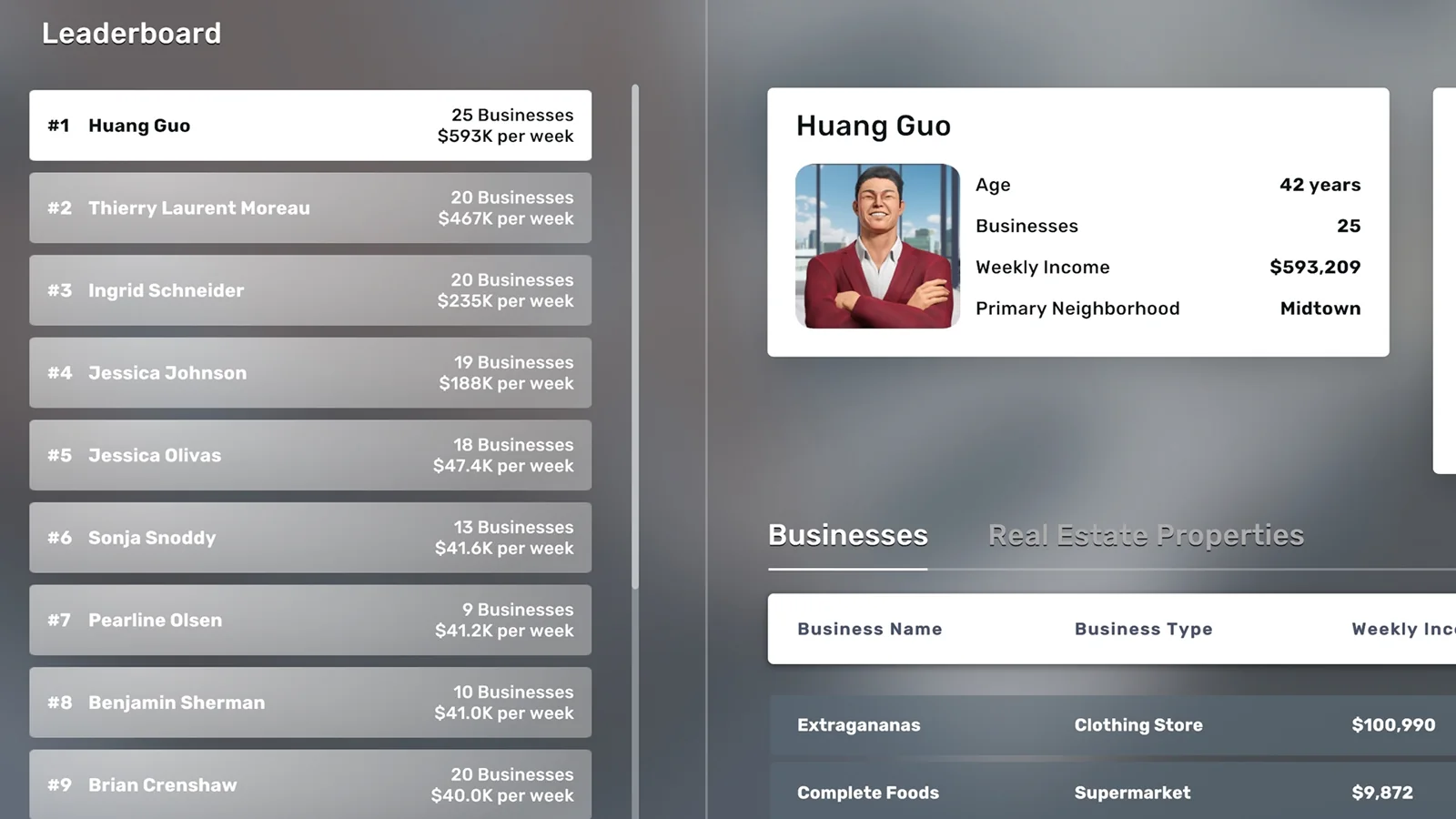
The official rival system began with four special rivals: Thierry Laurent Moreau in Murray Hill, Huang Guo in Midtown, Jessica Johnson in Hell's Kitchen, and Ingrid Schneider in the Garment District. When the player expands into their territory, difficulty-dependent attacks can begin. The Rivals app shows competitors, attacks, businesses, weekly income, and ranking. Minor rivals also populate the economy and can participate in some employee pressure.
Officially documented attacks and counters include rent refusal by a rival landlord, price pressure, demand competition, and employee poaching. The player can lower prices, open competing businesses that reduce demand and customer flow, and poach rival staff so replacements have lower skill and satisfaction. Lower rival weekly income reduces business values and can lead to closure or defeat.
Version 1.0 explicitly made attacks more aggressive and added a neighborhood-wide Pricing Manager. It also fixed alerts that remained after an attack ended and rival messages sent after defeat. Build 3674 fixed a broader employee bug that stopped deliveries, imports, and training. Before blaming a rival for a simultaneous logistics collapse, update, advance one day, and verify whether an actual attack appears in the Rivals app.
Action checklist
- Confirm Build 3674 or later.
- Open the Rivals app before reacting.
- Identify special versus minor rival.
- Record the exact active attack.
- Advance one day after the hotfix.
- Separate rivalry from ordinary operational failure.
| Rival layer | Known behavior | Evidence |
|---|---|---|
| Four special rivals | Dominate named neighborhoods and attack | Official EA 0.5 system |
| Minor rivals | Compete and may pressure employees | Developer/community observations |
| Rent refusal | Blocks new leases in rival-owned property | Developer confirmed |
| Price and demand | Affect market economics | Official counterattack design |
| Aggression | Increased in 1.0 | Official 1.0 notes |
Trigger control and one-front strategy
The safest rivalry is the one entered deliberately with liquidity, sites, staff, and pricing authority ready.
A July 2026 developer reply recommends handling one rivalry at a time. Active rivals can refuse new rentals in buildings they own, so triggering several special rivals can restrict expansion across multiple districts. Map their districts, owned buildings, product overlap, and your dependency before opening additional branches.
Create a readiness gate: fourteen to thirty days of operating and tax cash, no critical staff demands overdue, reliable inventory, at least one substitute site outside rival control, Pricing Manager coverage or a manual price list, and management capacity to watch daily reports. Delay optional entry when a warehouse, tax bill, or large loan already strains liquidity.
Do not mistake avoidance for permanent passivity. A profitable foothold in a rival district can diversify the portfolio and prepare a future campaign. Enter with one or two resilient businesses whose unit contribution remains positive after a moderate price cut. The developer has suggested two high-demand businesses can help resist demand or price pressure. Record the trigger date and preserve a pre-rivalry save for testing, not for claiming guaranteed AI behavior.
Action checklist
- Choose one special rival.
- Map property ownership first.
- Fund a rivalry reserve.
- Resolve employee demands.
- Prepare a substitute location.
- Record the trigger date.
| Readiness item | Pass condition | If absent |
|---|---|---|
| Liquidity | Stress period funded | Delay entry |
| Products | Positive stressed contribution | Change format |
| Staff | Critical roles stable | Train and recruit |
| Property | At least one non-rival option | Acquire or search |
| Management | Daily monitoring available | Reduce simultaneous projects |
Diagnose the attack before choosing a counter
Price, demand, people, and property attacks damage different parts of the profit equation.
A price attack reduces realized price and unit contribution. A demand attack reduces customer volume and can leave scheduled labor idle. Poaching threatens skill, satisfaction, and capacity. Rent refusal blocks a future lease or business takeover rather than necessarily changing today's sales. Stale alerts were fixed in 1.0, but verify current status in the Rivals app.
Build a daily incident record: rival, start day, affected district, business and product, pre-attack price, rival price, customer count, revenue, COGS, wages, profit, employee messages, property refusals, and end day. Compare matched weekdays before and during the event. Do not attribute a Sunday-to-Monday demand change to the rival without considering normal hourly and weekly patterns.
Use causal tests. Restore stock before evaluating demand. Keep hours and marketing stable while measuring price response. Respond to an employee deadline within the stated time and record retention. Attempt a comparable non-rival-owned lease to isolate landlord refusal. A good playbook names the broken variable, tests it, then spends the smallest amount that repairs it.
Action checklist
- Classify price, demand, staff, or property.
- Record the attack start and end.
- Compare matched weekdays.
- Eliminate stockouts and absences.
- Test one response at a time.
- Use the least-cost effective counter.
| Attack | Profit channel | Primary evidence |
|---|---|---|
| Price cut | Lower contribution per sale | Price and COGS |
| Demand pressure | Lower volume | Customers per hour |
| Poaching | Skill, satisfaction, capacity | Employee message and schedule |
| Rent refusal | Blocked expansion | Owner and lease response |
| False alarm | No active attack | Build, alert status, operational audit |
Price-war playbook
Protect contribution rather than copying every rival price movement.
Unit contribution equals selling price minus unit COGS minus variable consumables. Establish a price floor that covers those costs and contributes to wages, rent, marketing, security, and logistics. The developer has said rivals generally will not go below wholesale cost and that dropping most items to one dollar is unnecessary self-harm; fruit and vegetables were noted as an unusual case.
When attacked, capture current customer count and contribution. Reduce price in controlled steps only if incremental volume produces more total contribution. If price falls ten percent and volume rises five percent, contribution may still decline. Use the 1.0 Pricing Manager for consistent neighborhood changes, but validate the higher-skilled suggestion against actual sales and satisfaction.
Worked case: price thirty, COGS twelve, four hundred units gives seven thousand two hundred contribution. At price twenty-seven, contribution is fifteen. Volume must rise to four hundred eighty merely to match the original contribution. If it reaches four hundred fifty, total contribution is six thousand seven hundred fifty, a loss of four hundred fifty before any extra labor. Do not celebrate higher traffic while cash margin shrinks.
Action checklist
- Calculate current unit contribution.
- Set a written loss floor.
- Change price in small steps.
- Measure volume needed to offset the cut.
- Use Pricing Manager consistently.
- Restore price after the attack ends.
| Price | COGS | Contribution per unit | Units to match 7,200 |
|---|---|---|---|
| 30 | 12 | 18 | 400 |
| 28 | 12 | 16 | 450 |
| 27 | 12 | 15 | 480 |
| 24 | 12 | 12 | 600 |
| 12 | 12 | 0 | Impossible |
Demand-war playbook
Competition lowers available demand, so the answer is often focus and cost control rather than indiscriminate discounting.
MarketInsider demand reflects competing supply. A developer explains that adding another store of the same type lowers demand, and each business category tolerates competition differently. Traffic remains a flow factor, not a guaranteed customer count. Marketing cannot create unlimited buyers when district demand is already served.
When a rival opens a competing store, record competitor count, demand, hourly customers, promotion, and utilization. Protect peak hours and cut labor from empty hours. Concentrate inventory and marketing on products with the best contribution per customer. Avoid opening several retaliatory branches until the first controlled test proves that their contribution exceeds rent and wages.
To pressure the rival, open a business with meaningful overlap in the same neighborhood and run it profitably at a competitive price. The official system says similar stores lower rival customer flow. A loss-making shell may hurt the rival but also burns your cash and can trigger other rivals. Measure the target's weekly income in the Rivals app and stop if your marginal cost exceeds the decline achieved.
Action checklist
- Record demand and competitor count.
- Measure customers by hour.
- Cut empty shifts.
- Prioritize high-contribution products.
- Open only funded competing capacity.
- Compare your cost with rival income decline.
| Signal | Defensive action | Offensive action |
|---|---|---|
| Demand falls | Reduce idle labor | Add profitable overlap selectively |
| Traffic weak | Improve site or promotion | Do not overbuild |
| Peak still full | Protect stock and staff | Compete outside peak |
| Rival income unchanged | Reassess overlap | Target another format |
| Your cash burn rises | Pause expansion | Return to profitable core |
Employee-poaching defense
Retention is usually cheaper than losing a trained worker during a live attack.
Employee messages can offer a condition such as training within a deadline. Verify the worker's role, skill, satisfaction, schedule coverage, demands, and replacement lead time. Train or meet reasonable conditions for critical managers, drivers, specialists, and peak staff. Do not automatically fire the employee; that hands the rival the operational damage without requiring a successful poach.
Build a criticality score from revenue capacity affected, replacement days, training already invested, and network dependencies. A logistics manager or purchasing agent can affect many stores, while one redundant cashier may affect little. Maintain trained backups and avoid scheduling a single person as the only coverage for a profit-critical interval.
Build 3674 fixed employees stuck while attempting to quit, which had interrupted training, imports, and deliveries. If several systems fail together, update and advance a day before restructuring the workforce. For a legitimate poaching message, respond before the stated deadline and log the result. Improve satisfaction proactively so rival offers have less leverage.
Action checklist
- Read the exact employee deadline.
- Score role criticality.
- Meet viable training or satisfaction demands.
- Maintain backup coverage.
- Update before diagnosing mass failures.
- Record retention cost versus replacement cost.
| Role | Network impact | Defense priority |
|---|---|---|
| Purchasing agent | Imports and many SKUs | Very high |
| Logistics manager | Routes and multiple stores | Very high |
| Specialist actor/lawyer | Capacity and service quality | High |
| Driver | One or more routes | High if no backup |
| Redundant cashier | Local shift only | Case-specific |
Employee poaching as an offensive tool
Poaching lowers rival satisfaction and capacity, but the hire must have value to you or a defensible campaign cost.
The official EA 0.5 design lets players inspect rival employees and attempt to poach them through negotiation. A successful poach forces the rival to recruit a lower-quality replacement, reducing satisfaction and customers. Salary negotiation creates a real cost. Do not offer unlimited wages merely to remove a worker.
Target employees in the rival's most profitable business or a role that constrains its peak capacity. Before negotiating, estimate your hiring cost, wage premium, schedule need, and the rival income reduction required to justify the action. If the worker fits your own expansion, the cost has dual value. If the plan is immediate dismissal, count the entire hiring expense as campaign spend.
Employee information visibility has improved since early versions, but verify full-time status, demands, age, and skill in the current interface before offering. Record rival weekly income for seven days before and after. Many events occur simultaneously, so do not attribute every decline to one poach. Repeat only when the measured effect and your cash reserve support it.
Action checklist
- Target a profit-critical rival role.
- Inspect current employee details.
- Set a wage ceiling.
- Prefer workers useful to your company.
- Track rival income before and after.
- Stop if campaign cost exceeds impact.
| Target quality | Rival effect | Your value |
|---|---|---|
| High-skill bottleneck | Potentially large | Useful specialist |
| Ordinary redundant staff | Small | Low |
| Manager affecting network | Potentially broad | High if needed |
| Employee with costly demands | Uncertain | Discount offer |
| Worker you will fire | Campaign only | Require measured rival loss |
Rent refusal and property response
A rival landlord can block both a new lease and a takeover located in its building.
A developer explicitly confirmed this is intended: even when buying another owner's business, the player still needs the premises, and an active rival landlord may refuse to rent. Another 2026 reply says special rivals owned those buildings from the start; active rivalry changes their willingness to rent, not the historical ownership.
Responses are: use a non-rival-owned building, buy a different business, buy the building and evict the occupant, or defeat the rival economically. Compare costs. Buying property creates control and possible rent income, but it can consume far more capital than relocating. Map alternatives before triggering rivalry.
If buying, record purchase price, rent avoided, rent income, occupancy, tax projection effect, eviction loss, fit-out, and liquidity. If avoiding, secure backup sites in advance. Do not rent every vacant unit solely to block the AI unless the ongoing rent and management burden is an explicit campaign budget; vacancy hoarding can weaken your own company.
Action checklist
- Check the building owner.
- Price a substitute site.
- Test takeover landlord approval.
- Model buy-and-evict cash.
- Preserve operational reserves.
- Avoid uncontrolled vacancy hoarding.
| Response | Capital need | Best use |
|---|---|---|
| Relocate | Low to moderate | Comparable non-rival site exists |
| Take another business | Moderate | Target is not unique |
| Buy building | High | Site is strategically essential |
| Defeat rival | Campaign-dependent | Multiple sites are blocked |
| Rent vacant units | Recurring burn | Only targeted temporary denial |
Target selection and defeat conditions
Attack the rival's weekly profitability, not its store count for its own sake.
A developer states that special rivals are defeated when they have no businesses left or when weekly profitability falls below a defined point. The exact threshold is not published in that reply. EA 0.9 made closures more logical: rivals should keep successful businesses, close unprofitable ones, and earn amounts more comparable with what a player could make in similar stores.
Rank targets by reported weekly income, product overlap, property owner, takeover value, staff bottleneck, and your cost to pressure them. Attack one or two large contributors first. A small easy takeover may reduce store count but barely move profitability. A flagship price or demand campaign can have greater effect, but only if your own contribution stays positive.
Track a waterfall: starting rival weekly income; estimated loss from price response; demand loss; staff loss; businesses sold or closed; property income; ending weekly profitability. The Rivals app is directional evidence, not a perfect causal laboratory. Use complete weeks and note AI openings or closures. Stop when defeat registers; 1.0 fixed messages sent after defeat and stale alerts, but verify the rival state before continuing to burn cash.
Action checklist
- Rank by weekly income contribution.
- Prefer high-impact affordable targets.
- Track full weeks.
- Include rival property income.
- Note openings and closures.
- Stop spending when defeat registers.
| Target factor | High priority | Low priority |
|---|---|---|
| Weekly income | Large contributor | Small marginal shop |
| Your overlap | Strong profitable format | No capability |
| Property | Accessible or strategically buyable | Cost-prohibitive |
| Staff | Clear bottleneck | Deep redundancy |
| Campaign cost | Covered by reserve | Threatens taxes or debt |
Takeover valuation and integration
A purchased rival business is valuable only after price, staff, stock, property, and network integration are understood.
Do not use an unversioned rule that rivals always accept a fixed percentage of valuation. Record the current valuation, requested price, owner, landlord, inventory, employees, equipment, demand, traffic, customer capacity, prices, and recent performance. Active rival landlords can block the deal. Current versions allow rival employees to carry over in some takeover flows, but inspect schedules and demands immediately.
Maximum offer equals conservative value of avoidable setup plus existing assets and expected stressed operating cash, minus integration cost, wage corrections, stock problems, price normalization, property risk, and contingency. A store may be worth more as a rapid site acquisition than as its current operation. Conversely, a high valuation based on temporary rival pricing may not survive your ownership.
After takeover, freeze unnecessary changes for one day, audit every workstation and product, secure supply, review staff satisfaction, and capture EconoView. Then adjust one area at a time. Keep enough cash for seven days of wages and replenishment plus tax and debt reserves. Buying the target and immediately starving it of stock converts a strategic victory into an avoidable loss.
Action checklist
- Record valuation and requested price.
- Verify landlord approval.
- Inspect staff, stock, and equipment.
- Model integration cash.
- Preserve a seven-day operating reserve.
- Change one system at a time.
| Value component | Add | Deduct |
|---|---|---|
| Reusable fit-out | Replacement cost avoided | Wrong layout correction |
| Staff | Trained useful workers | Excess wages and demands |
| Inventory | Sellable stock at cost | Obsolete or excessive stock |
| Location | Traffic and scarcity | Rival landlord risk |
| Operations | Stressed future cash | Integration and disruption |
Rival campaign cash-flow model
A rivalry is an investment project with costs, milestones, and a stop-loss.
Campaign cash burn equals discounts versus baseline contribution plus extra marketing, duplicate wages, new rent, recruiting and poaching, takeover premiums, property purchases, and emergency logistics. Benefits equal retained profit, new branch contribution, acquired assets, rent saved, and future competitive relief. Keep property purchases separate because most cash becomes an asset rather than a period expense.
Worked example: price pressure costs fifteen thousand contribution per week, a competing branch loses ten thousand during ramp, poaching costs five thousand, and marketing adds seven thousand. Weekly burn is thirty-seven thousand. If rival weekly income falls only ten thousand, the campaign is inefficient unless the new branch soon turns profitable or a strategic property is secured. Set a review after two complete weeks.
Define stop conditions: tax reserve breach, debt coverage below threshold, two weeks with no meaningful rival-income decline, stock or staff failures spreading to core stores, or a second special rival becoming active. Pause discounts, stabilize the company, and preserve evidence. A long campaign won with bankrupt operations is not a victory.
Action checklist
- Budget every campaign cost.
- Separate asset purchases from burn.
- Set weekly milestones.
- Track rival income response.
- Define stop-loss conditions.
- Pause if core operations deteriorate.
| Campaign item | Weekly example | Classification |
|---|---|---|
| Discount contribution loss | 15,000 | Burn |
| New branch ramp loss | 10,000 | Burn/investment |
| Poaching | 5,000 | Campaign cost |
| Extra marketing | 7,000 | Campaign cost |
| Total | 37,000 | Compare with measured benefit |
Sensitivity analysis for a price-and-demand attack
Combine price and volume changes because rival actions can hit both simultaneously.
Base profit equals units times price minus units times COGS minus fixed cost. Suppose five hundred units sell at twenty dollars, COGS eight, and fixed costs four thousand. Profit is two thousand. A ten-percent price cut to eighteen lowers contribution from twelve to ten. If volume remains five hundred, profit falls to one thousand. If demand also falls fifteen percent, profit becomes two hundred fifty.
Add labor response. If the company keeps peak staffing while volume falls, fixed cost remains. Cutting five hundred of avoidable labor would raise the combined downside to seven hundred fifty, but only if service capacity remains adequate. Marketing that costs one thousand and restores fifty units adds five hundred contribution at the reduced price, so it loses five hundred unless it has a longer effect.
Run best, base, price-only, demand-only, combined, and response cases. Select a price floor and maximum weekly campaign burn before rivalry. If combined downside is negative, enter only with reserve and a planned counter. A high base profit does not imply unlimited capacity to fight.
Action checklist
- Model price and demand together.
- Keep COGS current.
- Identify avoidable labor.
- Test marketing on incremental contribution.
- Set price floor and burn limit.
- Fund the combined downside.
| Case | Units | Price | Fixed cost | Profit |
|---|---|---|---|---|
| Base | 500 | 20 | 4,000 | 2,000 |
| Price only | 500 | 18 | 4,000 | 1,000 |
| Demand only | 425 | 20 | 4,000 | 1,100 |
| Combined | 425 | 18 | 4,000 | 250 |
| Combined plus labor cut | 425 | 18 | 3,500 | 750 |
Version-labelled rival experiment
A controlled save can test trigger, price response, demand, and defeat without publishing folklore as a rule.
Record Build 3674, mode, difficulty, custom rival setting, day, special rival, district, businesses, prices, competitors, demand, weekly income, and property ownership. Save before the suspected trigger. Open one qualifying business or take the intended action, advance in daily steps, and log messages and Rivals app changes. Reload the control and advance without the action.
For price response, choose one product, ensure stock, hold hours and marketing constant, and set a documented price. Record rival price after each midnight because historical patch notes state some rival changes update then. For demand response, open one overlapping store and compare MarketInsider plus customer flow over matched days. For poaching, target one worker and log negotiation, replacement, and weekly income.
Disable mods, avoid a patch boundary, and keep taxes and logistics stable. Repeat before generalizing. Report results as observations tied to the save. The AI may open or close businesses dynamically, so an exact defeat threshold derived from one campaign is not universal. If an alert persists after the official 1.0 fix, submit F2 with the save and a linked discussion.
Action checklist
- Label build and rival settings.
- Create a control save branch.
- Change one competitive variable.
- Observe midnight updates.
- Use matched weekdays and full weeks.
- Report conditions with every conclusion.
| Test | Control | Variant | Primary output |
|---|---|---|---|
| Trigger | No new business | Open one target business | Attack timing |
| Price | Baseline price | One controlled cut | Rival price and contribution |
| Demand | No overlap | One overlapping store | Demand and customers |
| Poach | No offer | One employee offer | Staff and income response |
| Defeat | Continue baseline | Sustained campaign | Registered state and weekly profit |
Rival intelligence sheet
One portfolio ledger turns scattered messages into an actionable map.
Create one row per rival business: rival, special or minor, district, address, building owner, type, products, prices, traffic, capacity, estimated weekly income, employees and skills, property access, overlap with your company, current attack, and last observation. Add a separate event log for messages, price changes, openings, closures, and takeovers.
Summarize rival weekly income by district and business type. Highlight the top three contributors, owner-controlled buildings, and staff bottlenecks. Overlay your own stores and reserve. A campaign dashboard should show your weekly contribution lost, campaign cash spent, rival income change, acquired assets, and stop-loss status.
Audit every in-game week and immediately after an attack message. Version 1.0 added clearer graph toggles for Rivals and Insights and fixed stale states, but manual snapshots preserve history. Keep raw observations separate from recommendations. A price change is fact; the belief that it caused a closure is an inference until timing and controls support it.
Action checklist
- Register every relevant rival business.
- Record building ownership.
- Rank weekly income contributors.
- Log every active attack.
- Track your campaign burn.
- Separate facts from inferred causes.
| Ledger block | Fields | Use |
|---|---|---|
| Identity | Rival, type, district, address | Map exposure |
| Economics | Price, demand, income | Choose target |
| People | Employees, skill, role | Poaching plan |
| Property | Owner, rent access | Avoid blockade |
| Campaign | Costs, milestones, stop-loss | Protect liquidity |
Final response and audit checklist
The winning response keeps the core company profitable while reducing the rival's durable weekly income.
First verify the event and Build 3674 state. Second protect cash, taxes, debt, stock, and critical staff. Third quantify contribution and customer changes. Fourth choose one counter: limited price move, schedule repair, targeted marketing, profitable competing capacity, staff retention or poaching, substitute property, takeover, or building purchase. Fifth measure a complete week.
Escalate only when the prior step has evidence. Do not drop all products to one dollar, open ten unfunded shells, fire threatened employees automatically, or buy every blocked building. These tactics can reduce a rival while destroying the player's cash. The developer's one-rival recommendation is the governing portfolio rule.
End or pause when the rival is defeated, the attack clears, the marginal cost exceeds benefit, or reserves hit the stop-loss. Restore normal prices and schedules, integrate acquisitions, release only excess campaign reserve, and review MarketInsider for the new competitive balance. Document what was observed and what remains uncertain so the playbook can be retested after the next patch.
Action checklist
- Verify the event and version.
- Protect core reserves.
- Choose one measured counter.
- Review after a complete week.
- Stop at the defined loss limit.
- Restore normal operations after resolution.
| Stage | Question | Output |
|---|---|---|
| Verify | Is an attack active? | Incident record |
| Protect | Can core obligations be paid? | Reserved cash |
| Counter | Which variable is damaged? | One targeted action |
| Measure | Did rival income fall efficiently? | Weekly comparison |
| Close | Defeat, clear, or stop-loss? | Recovery plan |
Four-week campaign case study and response matrix
A staged campaign shows how to reduce rival income without confusing competitive progress with player cash destruction.
Assume a Build 3674 normal-difficulty company chooses one special rival whose district contains a flagship electronics store, two clothing stores, and several properties. Before triggering, the player records four weeks of rival income, each target's owner, products, prices, employee skills, district demand, and the player's own contribution by product. Tax, debt, supplier, and shock reserves are fully funded. The campaign has a fixed discretionary ceiling of one hundred fifty thousand.
Week zero is control. No new store opens and no prices change. The ledger captures natural variation, AI openings, closures, weekday traffic, and market events. If rival weekly income already moves twenty percent without intervention, a one-week campaign comparison will be too noisy. The player uses the median of several observations as baseline and marks each property owned by the target because rent refusal changes feasible takeovers.
Week one uses defensive action only. When the rival cuts electronics prices, the player calculates unit contribution and reduces selected prices by a small step rather than matching blindly. Stock, hours, and marketing stay constant. Employee poaching messages are answered through training where retention cost is below replacement loss. Empty hours are removed if demand falls. The objective is preserving player cash while observing the rival's response.
Week two opens one profitable overlapping store in a non-rival-owned building. Its budget includes fit-out, recruitment, seven days of wages, opening stock, marketing, and integration contingency. The store must pass a stressed contribution test on its own. MarketInsider demand, customers, prices, and both companies' weekly income are recorded. No second shell is opened until the first completes a comparable week.
Week three targets one high-skill employee from the rival flagship. The player sets a salary ceiling and prefers a worker needed in the new branch. The campaign cost is the recruitment expense and wage premium, while the benefit is productive labor plus any measured rival decline. If employee details or demands make the hire unsuitable, the offer stops. Poaching merely to dismiss requires a much stronger measured effect.
Week four evaluates a takeover. The flagship is in rival-owned property, so the developer-confirmed landlord refusal makes direct acquisition infeasible during active rivalry. The player compares buying the building, acquiring another business in neutral property, or continuing operational pressure. Building purchase cash is treated as an asset allocation, but fit-out, eviction, and lost rent enter campaign cost. A strategic premium is capped before negotiation.
Suppose player campaign burn totals ninety thousand, the new store contributes twenty thousand, acquired staff adds five thousand value, and rival weekly income falls forty thousand. Net near-term player cost is sixty-five thousand. This may be acceptable if the rival remains weaker and the branch stays profitable. If income falls only five thousand, the campaign fails the milestone even if the rival sends dramatic messages. Evidence is the weekly economics, not narrative intensity.
Close the cycle at the predefined stop. If defeat registers, restore normal prices, integrate workers and stock, end temporary marketing, and verify stale alerts clear. If no meaningful progress occurs, pause before reserves are threatened. Archive the exact build and test conditions. Another difficulty or district can produce a different response, so the case study demonstrates method rather than a guaranteed four-week victory.
Action checklist
- Collect a multi-week control baseline.
- Fund tax, debt, supply, and shock reserves.
- Use defense before expensive offense.
- Open one profitable overlap at a time.
- Set poaching and property ceilings.
- Measure campaign burn and rival income together.
- Stop at the predefined milestone or loss limit.
- Restore normal operations after closure.
| Week | Primary action | Evidence gate |
|---|---|---|
| 0 | No intervention baseline | Natural rival-income range |
| 1 | Defend price and staff | Player contribution preserved |
| 2 | One profitable overlapping store | Demand and rival income respond |
| 3 | One targeted poach | Worker value exceeds campaign cost |
| 4 | Takeover or property decision | Strategic value clears ceiling |
Research ledger
These links establish mechanics or provide a reproducible lead. Any balance-sensitive number still has to be checked in the current save.
Questions answered
How many special rivals should I fight at once?
One. A July 2026 developer reply recommends one rivalry at a time, and multiple active landlords can sharply restrict property access. Before entering, map the selected rival's buildings, businesses, products, employees, weekly income, and overlap with your portfolio. Fund tax, debt, supplier, and shock reserves independently of the campaign budget. Secure at least one substitute site outside rival ownership and calculate price floors for exposed products. During the campaign, track player contribution lost, extra marketing, poaching expense, new-store ramp, takeover premiums, and rival weekly-income change. Pause if the base cash forecast touches protected reserves, if a second special rival becomes active, or if two complete weeks show no efficient progress. Defeat is useful only when normal operations survive it. After the rival state clears, restore prices, end temporary spending, integrate acquired staff and stock, and verify that Build 1.0's stale alerts have disappeared.
Should I set every price to one dollar?
No. The developer says that is usually unnecessary and rivals generally will not price below wholesale cost. Calculate a contribution floor and use controlled reductions.
Can a rival stop a business takeover?
Yes when the rival owns the building and refuses to rent the business space. Use another site, acquire the building, choose another target, or defeat the rival. Verify ownership before negotiating and preserve enough cash for integration.
What defeats a special rival?
A developer states defeat occurs when no businesses remain or weekly profitability falls below a threshold. The exact threshold is not publicly fixed in the cited reply, so monitor the Rivals app. Use complete weeks, include property income, and record AI openings and closures. Stop the campaign when the game registers defeat instead of spending more to reach an invented numeric target.
Why did imports and training fail during rivalry?
Build 3674 fixed an employee quit-state bug that could interrupt imports, deliveries, and training independently of rivals. Update and advance a day before attributing the failure to an attack. Check the Rivals app for an actual active event, then audit cash, accepted orders, purchasing assignments, shelf capacity, vehicle and driver schedules, route targets, employee messages, and training state. Compare the first post-hotfix day with the failed day. A simultaneous collapse across unrelated systems is stronger evidence of the fixed employee state or an operational dependency than of an undocumented rival power. If failure persists without mods, preserve the save and submit F2 with a linked Steam thread.