
Delivery vehicles and destination limits
Choose vehicles by route reach and driver qualification, not visible cargo boxes.
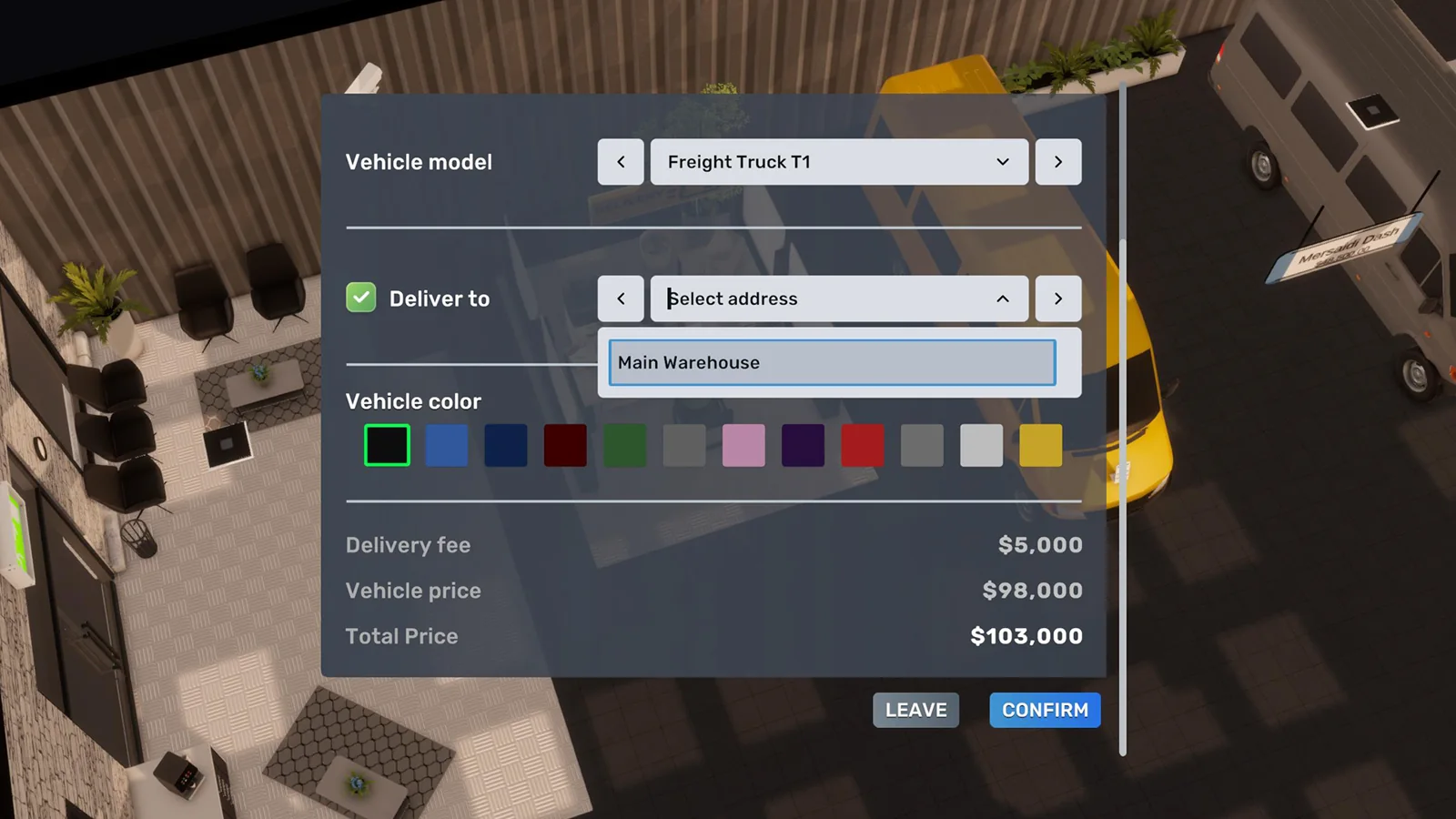
Decision first
Upgrade route capacity before opening a destination the current manager and vehicle cannot serve.
A vehicle has manual cargo statistics for player transport and a separate destination-slot value when assigned to automated warehouse or factory logistics.
Identify manual hauling or automated logistics use.
Complete operating playbook
- ARTICLE LENGTH
- 5,200 words
- DEEP-DIVE SECTIONS
- 18
- RESEARCH LEDGER
- 8
Two vehicle systems that must not be confused
A vehicle has manual cargo statistics for player transport and a separate destination-slot value when assigned to automated warehouse or factory logistics.
Manual cargo capacity controls how many boxes or carried objects the player can load while driving. Automated logistics does not simulate those boxes as a nightly truck-capacity budget. A developer explicitly stated that there is no limit to how many units each assigned vehicle can deliver in one automated event; the constraints are destination count, source inventory, and receiving space. This means a Freight Truck's sixty-slot reference cargo capacity is relevant for manual hauling, but it is not a sixty-box ceiling on the 02:00 Logistics Manager transfer.
Automated suitability is instead described by base destinations, the Logistics Manager's skill-adjusted destination count, and a driver skill gate. A larger delivery vehicle can unlock more destinations, not necessarily more units per destination. This distinction explains why replacing a van with a truck may permit another store while doing nothing to fix a product shortage, a zero target, a full destination, or insufficient source inventory.
Action checklist
- Identify manual hauling or automated logistics use.
- For automation, record destination slots rather than cargo slots.
- For manual work, record physical cargo capacity and handling method.
- Never diagnose automated shortage from cargo capacity alone.
| Statistic | Manual transport | Automated logistics |
|---|---|---|
| Cargo slots | Limits loaded boxes/items | Not the nightly unit cap |
| Destination slots | Not applicable | Limits businesses per assigned vehicle |
| Driver skill gate | May affect employment assignment | Must meet vehicle requirement |
| Source/destination space | Controls what can be loaded/unloaded | Bounds calculated transfer |
Build 3674 vehicle context
Current guidance sits after three important changes: the EA 0.9 van rebalance, EA 0.10 fleet quality-of-life work, and the 1.0 hotfix.
EA 0.9 replaced the formerly purchasable original warehouse van with the more expensive Mersaidi Dash. The old van remained visible for the starter delivery job but was no longer purchasable through the normal warehouse fleet path. EA 0.10 then allowed General US Trucks to deliver purchased vehicles directly to warehouses and added a bridge-skip convenience, reducing the repeated Industry City drive. These are official changes and make many early-access shopping instructions obsolete.
Build 3674 fixed an employee quit-state defect that could make deliveries, imports, and training fail together. If vehicles were assigned correctly but every network stopped after build 3672, update and cross into the next game day before replacing hardware. The same hotfix did not announce new route-slot or cargo values. Treat current numeric vehicle data as live-reference information and verify it in F1/BizMan, especially after future balance patches.
Action checklist
- Use build 3674 or later.
- Buy the current warehouse vehicle rather than searching for the obsolete original van.
- Use dealer delivery when it reduces commissioning risk.
- After a systemic 3672 failure, allow next-day recovery before rebuilding.
| Version | Vehicle/logistics change | Guide consequence |
|---|---|---|
| EA 0.9 | Mersaidi Dash replaced old purchasable delivery van | Reject old dealer lists |
| EA 0.10 | Dealer can deliver vehicles to warehouse | Fleet scaling no longer requires every pickup drive |
| 1.0 build 3674 | Global employee-state delivery failure fixed | Retest after next day |
Current route-capacity classes
The maintained vehicle reference groups delivery-capable vehicles by standard and fully skilled Logistics Manager destination counts.
For the current 1.0-era reference, Freight Truck T1 supplies four standard destinations and up to eight with a 100-percent Logistics Manager; Vord Courier D500 supplies three or up to six; Mersaidi Dash, UMC Nunavut, and Vord V150 supply two or up to four; other eligible vehicles generally supply one or up to two. These numbers agree with the developer's established rule that vehicle size and Logistics Manager skill determine destination count, but the exact current driver gates differ from old replies.
Treat the table as a planning reference rather than a universal law. The live warehouse/manager interface is the acceptance test because mods, custom content, or later builds can add vehicles and balance changes. A two-bay building can combine two vehicles' route capacity under one Logistics Manager, provided each bay has an assigned qualified driver. One fully developed two-bay warehouse with two current top-tier trucks is therefore referenced at up to sixteen destinations, but storage and supply may become binding first.
Action checklist
- Read the vehicle's current destination class.
- Read available destinations after assigning the actual manager.
- Count physical bays.
- Assign one compatible vehicle and driver per used bay.
- Verify the final destination total in BizMan before opening new stores.
| Vehicle class | Reference base destinations | Reference at LM 100% |
|---|---|---|
| Freight Truck T1 | 4 | 8 |
| Vord Courier D500 | 3 | 6 |
| Dash / Nunavut / V150 | 2 | 4 |
| Other eligible vehicles | 1 | 2 |
| Two top-tier vehicles in two bays | 8 combined | 16 combined |
Driver skill gates
A destination-capable vehicle contributes nothing until a Delivery Driver who meets its current skill threshold is assigned.
The maintained current vehicle table reports no special threshold for basic eligible vehicles, 50 percent for Mersaidi Dash/UMC Nunavut/Vord V150, 75 percent for Vord Courier D500, and 95 percent for Freight Truck T1. Older developer posts referred to 50 percent for the freight truck, so repeating that number as current would be stale. Verify the actual gate shown by the live assignment UI; an employee who cannot be dragged into the slot is often under-skilled rather than bugged.
Driver skill should be planned before vehicle purchase. If a new warehouse must open immediately, a lower-tier vehicle with a qualified driver can be safer than an idle Freight Truck waiting for training. Train or recruit the replacement driver before swapping a live vehicle, maintain enough route slots during the transition, and recheck employee demands so the driver does not resign. No accepted current evidence shows that skill above the eligibility gate increases automated units moved; manager skill, not driver skill, scales destinations.
Action checklist
- Inspect live driver requirement before buying.
- Compare every assigned driver's skill to the gate.
- Train replacements before removing working vehicles.
- Do not assume older 50-percent freight guidance is current.
- Do not attribute route-slot growth to driver skill without live evidence.
| Vehicle group | Current reference driver gate | Operational note |
|---|---|---|
| Freight Truck T1 | 95% | Highest destination class |
| Vord Courier D500 | 75% | Intermediate class |
| Dash / Nunavut / V150 | 50% | Common scalable class |
| Other eligible vehicles | 0% reference | Verify vehicle eligibility and live UI |
Vehicle acquisition and warehouse assignment
Ownership alone does not attach a vehicle to a logistics network; it must occupy a warehouse or factory bay.
Traditionally, the player drives the vehicle into the industrial building's marked parking bay and exits, after which an assignment message appears. EA 0.10 added dealer delivery from General US Trucks directly to a warehouse, which is preferable when commissioning several vehicles. After delivery, open BizMan, select the warehouse or factory, inspect the Drivers tab, and place a qualified Delivery Driver in the vehicle slot. Confirm that the vehicle is not merely parked nearby or retained in another building's assignment.
For a second bay, repeat the full vehicle-and-driver assignment; one driver cannot activate two vehicles simultaneously. The warehouse still uses one Logistics Manager, and each vehicle's destination capacity contributes to the plan. Before moving a warehouse, record bay assignments. Vehicle binding has been migration-sensitive historically—EA 0.10 notes fixed vehicles not being unassigned after movers—so inspect the resulting business rather than assuming the physical move preserved management state.
Action checklist
- Purchase from a current dealer.
- Drive into or request delivery to the exact industrial site.
- Confirm warehouse/factory assignment message.
- Open Drivers tab and assign qualified employee.
- Verify every used bay independently.
- After moving, audit vehicle, driver, and manager bindings.
| State | What it proves | What it does not prove |
|---|---|---|
| Vehicle owned | Fleet asset exists | Assigned to a source |
| Vehicle in bay | Physical source binding | Qualified driver assigned |
| Driver in slot | Vehicle can support plan | Destination target valid |
| Destinations visible | Route capacity available | Source stock and receiver space exist |
Automated delivery event and target arithmetic
The vehicle enables a daily calculated transfer at 02:00; it does not perform a visible road journey whose duration depends on speed or fuel.
Current developer guidance places internal logistics at 02:00 daily. For target T and destination total stock D, request R = max(0,T-D). With source stock S and free receiving capacity C, expected quantity Q = min(R,S,C), assuming plan, route slot, vehicle, driver, and manager are valid. A vehicle's manual cargo capacity does not appear in that formula. Total D includes items on displays and in back-room storage.
This model has practical consequences. A faster road speed does not make the automated event earlier, a larger fuel tank does not extend route count, and a sixty-slot truck does not cap the event at sixty boxes. Vehicle speed, tank, and cargo matter when the player drives manually. For management automation, buy the cheapest class that supplies enough destination slots and can be staffed reliably, then upgrade at the point where route capacity binds.
Action checklist
- Record event time as 02:00.
- Compute destination shortfall.
- Check source units and receiver space.
- Verify target is in individual units.
- Exclude manual cargo, speed, and fuel from automated throughput calculations.
- Use exact warnings to identify the bound.
| Input | Automated role | Manual role |
|---|---|---|
| Destination class | Sets route count | None |
| Cargo capacity | No published event cap | Sets loaded boxes |
| Speed/fuel | No published timing effect | Travel range/performance |
| Manager skill | Raises destination capacity | None |
| Driver gate | Enables vehicle assignment | Employee eligibility |
Selecting the smallest sufficient vehicle
Vehicle choice is a route-capacity investment decision, not a prestige ladder.
Let N be destinations needed during the planning horizon, B be active bays, and v(s) be destinations supplied per vehicle at Logistics Manager skill s. Capacity is approximately B times v(s), bounded by the live plan. Choose the least-cost configuration where capacity is at least N plus a deliberate spare-slot reserve. For five planned stores, a fully skilled manager with one D500 reference capacity of six may suffice; one Dash at four does not. A Freight Truck at eight adds more room but also requires a 95-percent driver in current reference data.
Include transition and staffing cost. A cheap vehicle is not sufficient if its destination ceiling forces a second warehouse, while an expensive truck is wasteful if the manager is too unskilled to use the added slots. Compare vehicle price, qualified-driver wage and recruitment delay, manager training, extra bay availability, and cost of another industrial site. Manual hauling frequency is a separate criterion: a player who personally moves large furniture or emergency stock may value cargo capacity even when automated route slots are already adequate.
Action checklist
- Count current and committed destinations.
- Read v(s) for the actual manager.
- Count active bays.
- Reserve at least one slot if near-term expansion is likely.
- Price qualified staffing and training.
- Evaluate manual cargo needs separately.
| Need | Candidate | Decision caveat |
|---|---|---|
| 1-2 destinations | Basic eligible vehicle | Verify current eligibility |
| 3-4 | Dash-class with skilled LM | Requires reference 50% driver |
| 5-6 | D500 with skilled LM | Requires reference 75% driver |
| 7-8 | Freight Truck with skilled LM | Requires reference 95% driver |
| Above one-vehicle cap | Second bay or warehouse | Full extra driver and plan capacity |
One-bay versus two-bay warehouses
A second bay doubles vehicle opportunities but does not double shelf capacity, importer limits, or manager competence automatically.
A two-bay warehouse can host two vehicles and two drivers under one Logistics Manager. Each assigned vehicle contributes destination slots according to class and manager skill. The developer confirmed this architecture in early official replies, and current reference values still use it. If only one vehicle or one driver is assigned, the second bay is inert. If the manager is untrained, both vehicles contribute their lower standard capacities rather than the fully skilled maximum.
Before upgrading buildings solely for a bay, determine the actual bottleneck. If all destinations fit but stockouts persist, routes may be under-targeted or the warehouse may lack inventory. If imports do not fit, pallet capacity matters. If the weekly importer limit binds, another receiving location may help, but merely adding a second bay at the same location does not create a second per-location import limit. If factory output must feed the warehouse, reserve destination capacity on the factory's own vehicle separately.
Action checklist
- Confirm route slots are the binding constraint.
- Assign a vehicle and qualified driver to each bay.
- Verify one Logistics Manager owns the warehouse plan.
- Recalculate combined capacity using actual skill.
- Do not confuse bays with shelves or import limits.
- Retest every destination after building migration.
| Resource | One bay | Two bays |
|---|---|---|
| Vehicles | 1 active maximum | 2 active maximum |
| Drivers | 1 required | 2 required for both |
| Logistics Managers | 1 | 1 for that warehouse |
| Top-tier reference destinations at LM 100% | 8 | 16 |
| Importer location limit | Per site | Still per same site |
Factory vehicles versus warehouse vehicles
Factories and warehouses each require their own outbound logistics capability in the post-0.10 chain.
A factory manufactures and sends finished goods to warehouses or eligible importer/exporter destinations; it no longer distributes directly to retail stores. A warehouse then sends those goods to stores. Therefore a factory-plus-retail network normally needs one Logistics Manager plan, vehicle, and driver at the factory and a separate plan, vehicle, and driver at the distribution warehouse. Count the warehouse as a destination on the factory vehicle and retail businesses as destinations on the warehouse vehicle.
Factory export consumes another destination relationship where exposed by the plan. Arrange target priorities so the distribution warehouse is replenished before excess is offered for export, and test the live order. Exporting is not a substitute for a production cap: prices respond to Import Index and 1.0 market changes, so uncontrolled output can depress economics even if vehicles can remove it. A factory vehicle's manual cargo rating still does not determine automated production evacuation. Output storage and destination space can stop the chain first.
Action checklist
- Provide factory vehicle, driver, and manager plan.
- Route factory output to a warehouse, not directly to stores.
- Provide the warehouse's separate vehicle, driver, and manager plan.
- Count export as a factory destination where applicable.
- Verify output and receiving storage capacity.
- Use production targets before relying on export.
| Source vehicle | Permitted destination role | Next controller |
|---|---|---|
| Factory | Distribution warehouse | Warehouse Logistics Manager |
| Factory | Eligible importer/exporter | Export economics |
| Warehouse | Retail store | Store storage/display |
| Warehouse | Not a factory production controller | Use proper factory plan |
Manual hauling and emergency use
Manual cargo remains valuable for commissioning and exceptions even though automated quantity is not cargo-limited.
Use manual transport to bring initial stock before the first Monday import, move furniture or production equipment, seed a one-item route test, rescue a stockout when the next 02:00 event is too late, or transfer inventory during a warehouse cutover. Here cargo capacity, loading furniture such as hand trucks or flatbeds, vehicle handling, speed, parking, and travel time matter directly. The maintained vehicle reference lists cargo slots, fuel, speed, autopark, and dealer availability for comparison.
Do not turn frequent manual rescue into evidence that the automated vehicle is too small. First measure whether the store target is below daily sales, the warehouse source is empty, the Monday import sequence created a gap, or destination storage rejected the fill. A bigger manual vehicle reduces player trips but will not repair those plan errors. Track emergency trips, boxes moved, cause, and avoided shortage; repeated trips for the same SKU should trigger a target or supply review.
Action checklist
- Choose vehicle by cargo slots for manual tasks.
- Use handling equipment compatible with the load.
- Record emergency quantity and root cause.
- Seed controlled tests without mixing SKUs.
- Correct recurring plan errors after the emergency.
- Separate travel convenience from automated route capacity.
| Use case | Important vehicle statistic | Automation follow-up |
|---|---|---|
| Opening stock | Cargo capacity | Establish standard inbound plan |
| Furniture move | Cargo/handling | None unless bay assignment changes |
| Stockout rescue | Cargo and travel time | Raise supply/target or fix timing |
| Route test | Enough for known S0 | Compare 02:00 result |
| Warehouse cutover | Cargo plus assignment | Rebind vehicle and manager plans |
Vehicle replacement without losing service
Swap vehicles as a controlled route-capacity change while preserving a working driver and destination plan.
Record the old vehicle, bay, assigned driver, driver skill, Logistics Manager, destinations, and available route count. Acquire and position the replacement before removing the old asset where space permits. Confirm the driver meets the new gate; if not, train or recruit first. Make the swap after a successful 02:00 event and with enough store stock to survive one missed run. Then inspect the manager plan for all destinations and targets before the next event.
If upgrading unlocks slots, add only one new destination initially and verify its fill. If downgrading, remove or migrate destinations before reducing capacity so the plan does not silently exclude a store. Selling a vehicle before confirming its warehouse assignment can strand the driver. After movers or warehouse relocation, inspect each bay and driver because physical and management state may not migrate together. Keep a save and rollback record for a critical distribution hub.
Action checklist
- Record old capacity and assignments.
- Qualify driver before the swap.
- Maintain one-day store cover.
- Swap after a known successful run.
- Verify every destination and target.
- Test one new slot before expansion.
- Retain rollback save until next 02:00 pass.
| Change | Hidden risk | Control |
|---|---|---|
| Higher class | Driver under skill gate | Train first |
| Lower class | Destinations exceed capacity | Migrate routes first |
| Move warehouse | Bay binding lost/stale | Audit physical and BizMan state |
| Add second bay | No second driver | Recruit and assign independently |
Controlled route-capacity test
Test destination slots and transfer quantity separately so one result cannot be mistaken for the other.
For slot capacity, use one warehouse, one known vehicle, and one Logistics Manager. Record manager skill, driver skill, vehicle class, and destinations exposed by BizMan. Add destinations until the interface refuses another, without relying on whether stores need stock. Repeat after a controlled manager-skill change if practical. This tests route count. Do not infer nightly unit throughput from the number of destinations.
For quantity, choose one accepted destination and SKU. At 01:59 record source S, destination D, target T, and free capacity C. Predict Q = min(max(0,T-D),S,C). Advance past 02:00 and record source/destination deltas. Use a closed store to avoid sales during measurement. If Q exceeds the vehicle's manual cargo-box capacity, that supports the developer's statement that automation is not bound by manual cargo. Label build 3674 and retain screenshots.
Action checklist
- Record build and all employee skills.
- Test destination ceiling through the UI.
- Test quantity on one existing route.
- Use event-time S, D, T, and C.
- Avoid Monday import and open-store confounders.
- Keep slot and quantity conclusions separate.
| Test | Independent variable | Measured result |
|---|---|---|
| Destination capacity | Vehicle class/LM skill/bays | Maximum plan destinations |
| Driver eligibility | Driver skill | Assignment accepted or rejected |
| Transfer amount | T-D with S/C controlled | Inventory delta at 02:00 |
| Manual cargo | Loaded box count | Player transport capacity only |
Failure diagnostics
Begin with assignment eligibility and route arithmetic; replacing the truck is rarely the first correct action.
If the driver cannot be assigned, compare their skill with the live vehicle gate. If no destinations are available, verify the vehicle is assigned to the exact source bay, a driver occupies it, and a Logistics Manager plan owns the source. If only a new store cannot be added, route capacity is likely full. If a route exists but moves zero, calculate destination shortfall and inspect source stock. If the message says no space, inspect destination capacity rather than the vehicle.
If all routes at all sites fail, check build and employee state; build 3674 fixed a global quit-state defect. If one warehouse fails, inspect its manager, bays, drivers, vehicles, and plan. If one destination fails, inspect its target and space. If one item fails, inspect exact SKU source inventory. If Monday fails at 02:00 but Tuesday works, account for the Monday 08:00 import arriving later. Escalate through F2 only after a controlled reproduction.
Action checklist
- Driver meets live gate?
- Vehicle assigned to correct bay?
- Driver in vehicle slot?
- Manager owns source plan?
- Route slot free?
- T greater than D?
- Source stock available?
- Destination space available?
- Correct event time/build?
| Symptom | Likely cause | Evidence |
|---|---|---|
| Cannot drop driver | Skill gate | Live requirement versus skill |
| Cannot add store | Destination ceiling | Used/available slots |
| Zero movement, no warning | D at/above T or zero target | Route arithmetic |
| Incomplete, no inventory | Source shortage | S at 01:59 |
| Incomplete, no space | Receiver full | Capacity audit |
Fleet tracking and replacement economics
Track a vehicle as a capacity-bearing business asset, not merely a purchase price.
Maintain one row per bay with build, source site, bay number, vehicle, purchase cost, manual cargo, base destinations, current destinations, assigned driver, driver skill, Logistics Manager, manager skill, used destinations, spare destinations, acquisition method, and last successful 02:00 event. Add manual emergency trips, fuel/repair costs where relevant, and migration history. This record reveals idle bays, overqualified assets, and driver-gate risk.
For an upgrade, estimate avoided infrastructure cost and new capacity value. Let DeltaN be added destination slots, V be vehicle and transition cost, and W be weekly contribution protected or enabled by those slots. Simple payback is V/W weeks, provided W excludes stores that could have been served by existing spare capacity. Compare with a second bay or warehouse, including extra driver, manager, rent, and storage. Do not assign a dollar value to manual cargo savings unless player time or missed business is actually constrained.
Action checklist
- Inventory every bay and assignment.
- Record used/spare destination capacity.
- Log last successful route event.
- Calculate upgrade payback from incremental capacity.
- Include driver training/recruitment and transition risk.
- Review idle or redundant vehicles.
| Metric | Formula | Decision |
|---|---|---|
| Slot utilization | used destinations / available | Upgrade timing |
| Spare slots | available - used | Expansion headroom |
| Upgrade payback | transition cost / weekly incremental contribution | Capital comparison |
| Assignment risk | vehicles lacking backup qualified driver | Training priority |
| Emergency frequency | manual rescues per week | Plan-quality signal |
Scaling gates
Upgrade the fleet only when the measured bottleneck belongs to the fleet.
The route-slot gate is reached when committed destinations exceed available capacity. The driver gate is reached when a desired class cannot be staffed. The bay gate is reached when one vehicle is full but the building lacks another slot. The resilience gate is reached when one driver illness or resignation threatens a critical network. Manual cargo is a separate gate reached when player transport requires too many trips. Stock, store space, weekly import limits, and production are not vehicle gates even when their failures appear during delivery.
A rational sequence is train the Logistics Manager to use existing vehicle potential, qualify drivers, upgrade vehicle class, activate a second bay, then add another warehouse when appropriate. The order can change if time, cash, or building availability differs. Reserve capacity for confirmed openings rather than speculative empire size. Before each investment, write the observed failure and the metric it changes; if the proposed truck does not change that metric, it is not the fix.
Action checklist
- Name the binding gate.
- Confirm proposed purchase changes it.
- Use manager training before unnecessary replacement when economical.
- Qualify staff ahead of openings.
- Reserve measured route headroom.
- Separate resilience investment from throughput investment.
| Gate | Metric | Lever |
|---|---|---|
| Route slots | Used equals available | Manager skill, class, bay, warehouse |
| Driver eligibility | Skill below gate | Training/recruitment |
| Manual cargo | Trips per task | Higher cargo vehicle |
| Source stock | S below request | Purchasing/production, not vehicle |
| Destination space | C below request | Storage/target, not vehicle |
Worked fleet-capacity plans
Capacity planning should show the actual manager skill, driver gates, bay count, and committed openings rather than quote only a theoretical maximum.
Example one: a warehouse serves three stores and expects a fourth next week. Its one Mersaidi Dash, 100-percent Logistics Manager, and qualified driver provide a current reference ceiling of four destinations. Utilization after the opening will be 4/4, or 100 percent. The plan works but has no spare route slot. If another opening is committed, either upgrade to a D500 or Freight Truck with a qualified driver, activate another bay, or commission a second warehouse before opening day.
Example two: a two-bay site has one D500 and one Dash with a fully skilled manager. Reference capacity is six plus four, or ten destinations. Eight stores use 80 percent of route capacity. Replacing the Dash with a Freight Truck raises the reference total to fourteen, but only if a 95-percent driver can occupy it. If weekly imported stock cannot fit or store targets are under-sized, those four extra routes have no value; the calculation proves only destination headroom.
Example three: a factory has one basic eligible vehicle serving its distribution warehouse and exporter. If its current fully skilled-manager capacity is two, both destinations consume the ceiling. Adding a second warehouse requires a vehicle-class or bay decision at the factory even when downstream store warehouses have spare slots. Count destinations independently at every source. A retail store reached by the distribution warehouse does not consume a factory route, while the distribution warehouse itself does.
Action checklist
- List destinations per source, not empire-wide.
- Calculate utilization after committed openings.
- Apply manager skill and driver eligibility.
- Reserve a route for exporters only when used.
- Do not buy slots to solve stock or storage constraints.
| Plan | Reference capacity | Committed use | Decision |
|---|---|---|---|
| One Dash, LM 100% | 4 | 4 | Full; prepare next tier |
| D500 plus Dash, LM 100% | 10 | 8 | Two spare |
| Factory basic vehicle | 2 | Warehouse plus exporter | No slot for second warehouse |
Continuity, sickness, and fleet resilience
A route-capacity design that works only when every named employee remains available has operational capacity but little resilience.
Record at least one backup path for each critical warehouse: an HR-managed temporary-worker arrangement where it applies, a second qualified Delivery Driver, a manual emergency vehicle, or enough destination stock to survive the recruitment interval. A spare truck without a qualified driver is not redundancy. Likewise, a qualified driver without an assignable vehicle or free bay cannot restore service. Employee satisfaction, schedule, and retirement exposure belong in the fleet risk register because vehicles depend on people even though the actual 02:00 transfer is calculated.
Define recovery time objective RTO as the maximum days the stores can tolerate without a successful route. Estimate days of cover for each critical SKU as store on-hand divided by daily consumption, then take the minimum across the network. If minimum cover is 0.8 day and replacement staffing takes longer, the network requires more store target, a trained backup, or a manual rescue procedure. This is a planning metric, not a hidden game mechanic.
After sickness, resignation, manager training, or vehicle reassignment, verify the next 02:00 event rather than assuming HR or Headhunter automation restored the exact slot. Build 3674's quit-state fix shows that employee transitions can interact with logistics. Keep the last successful event time and current driver-plan binding in the fleet ledger. When multiple warehouses share no backup staff, stagger training and migrations so one change cannot interrupt every distribution source simultaneously.
Action checklist
- Measure minimum destination days of cover.
- Name a qualified backup driver or manual procedure.
- Keep emergency vehicle access where justified.
- Stagger driver and manager training.
- Verify the next 02:00 event after staffing transitions.
- Record recovery time and actual cause.
| Resilience asset | What it covers | Limitation |
|---|---|---|
| Extra stock | Short outage | Consumes capacity and cash |
| Backup driver | Sickness/resignation | Must meet vehicle gate |
| Spare vehicle | Asset reassignment | Needs bay and driver |
| Manual rescue | Immediate exception | Consumes player time/cargo |
| Second warehouse | Site concentration | Adds full management chain |
Version caveats and rejected numeric claims
Vehicle numbers are especially vulnerable to staleness because the fleet and driver gates were rebalanced.
Reject old claims that the original delivery van remains normally purchasable after EA 0.9. Reject a universal 50-percent Freight Truck driver gate: that appears in old developer replies, while the current maintained table reports 95 percent. Reject claims that a truck moves only its manual cargo slots during automated logistics; the developer explicitly says automated quantity is not capped that way. Reject midnight delivery timing in favor of the current 02:00 developer statement.
Prices, cargo slots, speeds, fuel tanks, driver gates, and route counts should be read from build 3674's live UI and F1 Help. The reference table is included because it is current and internally consistent, but it is not official and may lag a hotfix. Mods can invalidate every vehicle list. Exact repair economics, fuel consumption, and handling rankings are excluded because no accepted build-labelled test in this audit supports universal figures.
Action checklist
- Prefer current live values over old replies.
- Separate official rules from reference numbers.
- Label tests with build and mods.
- Retest after vehicle or logistics patches.
- Avoid turning a player anecdote into a throughput cap.
| Rejected claim | Status | Safer statement |
|---|---|---|
| Freight driver needs 50% | Stale threshold | Current reference says 95%; verify live |
| Truck transfers max 60 boxes automatically | Contradicted by developer | No automated quantity cap from cargo |
| All deliveries at midnight | Superseded timing | Current internal event at 02:00 |
| Fast vehicle delivers sooner | Unsupported for automation | Automated event has fixed time |
Research ledger
These links establish mechanics or provide a reproducible lead. Any balance-sensitive number still has to be checked in the current save.
Questions answered
Does cargo capacity limit automated warehouse deliveries?
No according to the developer. Automated logistics is constrained by destination count, source inventory, receiving space, and valid assignments. Cargo slots apply to manual player hauling.
What is the best delivery vehicle?
There is no universal best. Choose the least-cost class that supplies required destinations with the actual Logistics Manager skill and a driver who meets the live gate. Manual cargo needs may justify a different choice.
Why can my driver use a Dash but not a Freight Truck?
Vehicle classes have different skill gates. The current reference reports 50 percent for the Dash group and 95 percent for Freight Truck T1; verify the live assignment requirement.
How many stores can one Freight Truck serve?
Current reference data says four standard and up to eight with a 100-percent Logistics Manager. Treat that as build-era reference and confirm BizMan after assignment.
Does a two-bay warehouse need two Logistics Managers?
No. It uses one Logistics Manager for that warehouse, but each active bay needs its own vehicle and qualified driver. Combined route capacity reflects both vehicles and the manager's skill.
Why did a larger truck not fix stockouts?
The bottleneck may be a low destination target, insufficient warehouse stock, a Monday timing gap, or full store storage. A larger class changes destination slots, not the target or inbound supply.
Do factories need their own delivery vehicles?
Yes for automated outbound movement. A factory sends finished goods to a warehouse or eligible exporter, and the warehouse uses a separate vehicle and plan to serve stores.
What should a vehicle-related F2 report include?
Include build, source, bay, vehicle, driver and skill, manager and skill, destination count, target, source/destination inventory and capacity at 01:59, 02:00 result, warning text, and whether the vehicle was moved or dealer-delivered.