
Warehouse logistics that work
Build the importer-to-store chain, set targets correctly and debug it in order.
Decision first
Keep enough Sunday-night warehouse stock for Monday at 02:00 because supplier receipts arrive around 08:00.
This guide describes the warehouse distribution system in Big Ambitions 1.0 build 3674, after the EA 0.9 weekly-import redesign and the EA 0.10 factory separation.
Confirm the title screen or patch history corresponds to 1.0 build 3674 or later.
Complete operating playbook
- ARTICLE LENGTH
- 5,206 words
- DEEP-DIVE SECTIONS
- 15
- RESEARCH LEDGER
- 8
Build 3674 scope and the logistics model
This guide describes the warehouse distribution system in Big Ambitions 1.0 build 3674, after the EA 0.9 weekly-import redesign and the EA 0.10 factory separation.
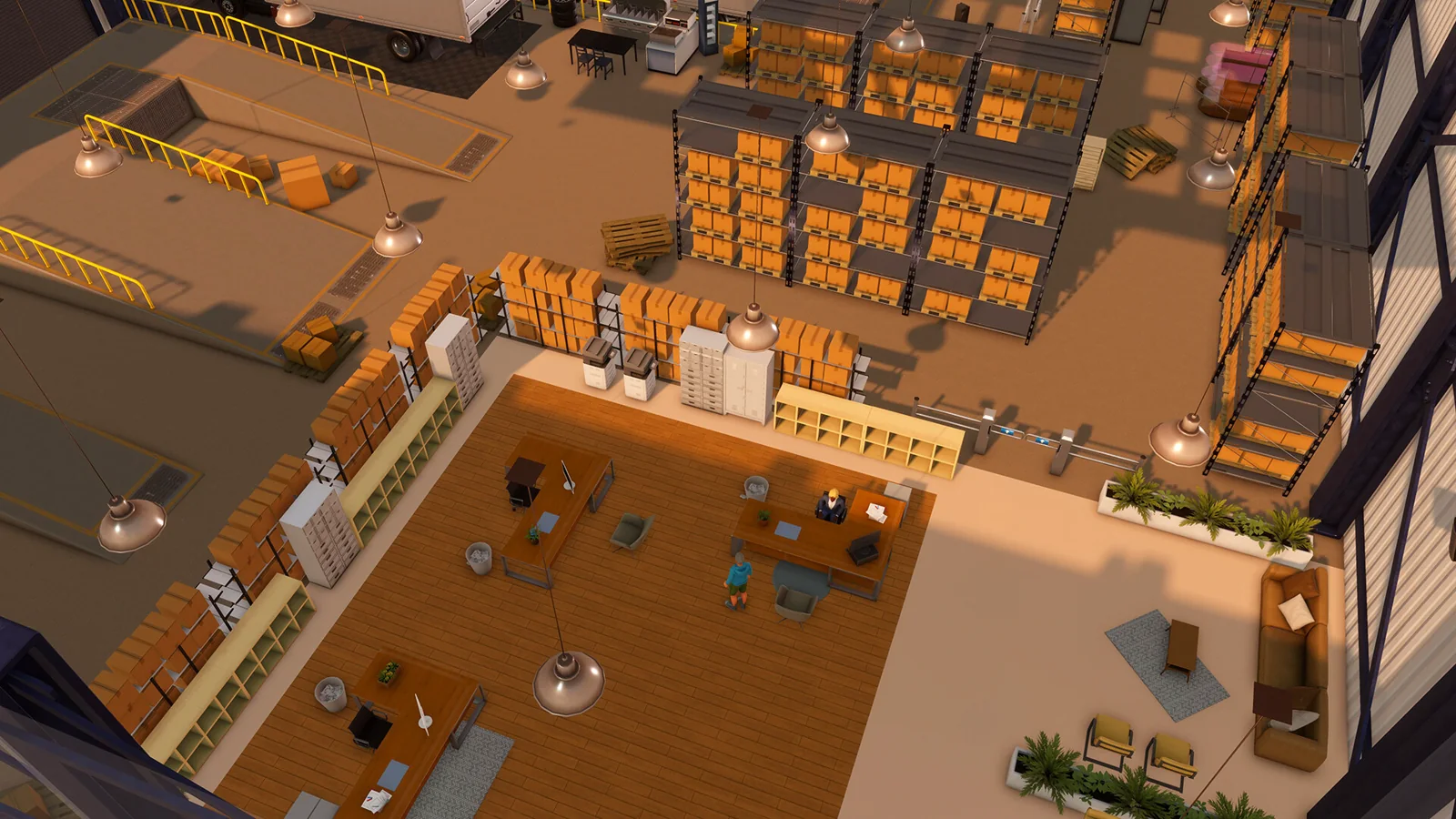
A warehouse is the distribution layer between purchased or manufactured inventory and retail businesses. In the current design, importers send goods into a warehouse, factories send finished goods into a warehouse, and a warehouse sends goods onward to stores. A factory is no longer a substitute retail-distribution warehouse: the developer explicitly confirmed in EA 0.10 that factories manufacture and may deliver to warehouses or export to importers, while warehouses distribute to stores. That distinction determines which destination options appear and prevents an obsolete direct factory-to-store design from working.
Build 3674 matters because its hotfix repaired a quit-state defect that could block imports, deliveries, training, and other systems. If a save was opened on build 3672 and every apparently valid logistics plan stopped together, advance into the next game day after updating before rebuilding the network. The hotfix note says affected systems should recover as play continues. A single missing route is still more likely to be configuration or capacity; simultaneous failure across unrelated routes is the stronger signature of the repaired defect.
Action checklist
- Confirm the title screen or patch history corresponds to 1.0 build 3674 or later.
- Classify each site as factory, warehouse, or retail destination before drawing routes.
- Use F1 Help and the live BizMan panel as the final authority for fields and limits.
- Do not copy conveyor-era or direct factory-to-store layouts from pre-0.10 guides.
| Origin | Permitted operational purpose | Next layer |
|---|---|---|
| Importer | Weekly or urgent inbound supply | Warehouse or factory selected by the purchasing plan |
| Factory | Manufacture and release finished goods | Warehouse; importer/exporter for eligible excess |
| Warehouse | Hold and replenish retail inventory | Stores in its Logistics Manager plan |
The complete dependency chain
A route exists only when every physical, employee, management, inventory, and destination dependency is valid at the calculation time.
The minimum import-to-store chain is importer contract to Purchasing Agent plan to receiving warehouse pallet capacity to warehouse vehicle bay to compatible vehicle to assigned Delivery Driver to Headquarters Logistics Manager to a non-zero destination target to destination storage or display capacity. The Purchasing Agent controls inbound purchasing; the Logistics Manager controls outbound target replenishment. Confusing those jobs is a common diagnostic dead end: a driver does not collect the importer order, and a Purchasing Agent does not choose store destinations.
For factory goods, prepend raw-material procurement and production, then preserve the warehouse stage: raw-goods importer to Purchasing Agent to factory storage to configured production line and workers to factory finished inventory to factory Logistics Manager, driver, and vehicle to distribution warehouse, followed by that warehouse's separate Logistics Manager, driver, vehicle, and store routes. Each managed factory or warehouse needs its own applicable Logistics Manager plan. Treat each arrow as a measurable handoff rather than assuming the whole chain is one automation.
Action checklist
- Write down every origin, intermediate location, and destination.
- Assign exactly the required manager plan to the correct source site.
- Park a compatible vehicle in every used bay and assign a qualified driver.
- Set a positive item target for every intended destination.
- Provide free receiving capacity at every handoff.
- Verify source inventory exists before the relevant 02:00 run.
| Layer | Controller | Proof to record |
|---|---|---|
| Inbound purchase | Purchasing Agent | Contract, destination, item, order mode, target |
| Source storage | Warehouse or factory | On-hand units and free pallet capacity |
| Internal transport | Logistics Manager | Source, destination, target, available route slot |
| Vehicle bay | Delivery Driver | Vehicle assigned and driver meets live skill gate |
| Retail receipt | Store | Free storage/display capacity and post-run on-hand units |
Prerequisites before the first automated delivery
Build the receiving and management infrastructure before committing a large weekly order.
Register the industrial building with the correct warehouse business type, then install pallet shelves. Imports directed at an empty industrial shell do not have usable storage. Hire a Delivery Driver, acquire a delivery-capable vehicle, drive or have it delivered into a warehouse bay, and assign the driver in BizMan. Create a Headquarters with a desk, chair, and computer workstation, hire a Logistics Manager, assign that employee to HQ, schedule the workstation, and create a plan for the warehouse. The historical developer explanation remains mechanically useful: the vehicle and driver enable the Logistics Manager's delivery plan; they are not a manually visible daily trip simulation.
Do a small commissioning order or manually place known inventory in the warehouse before scaling. Add one store as a destination, select one unambiguous item, and set a target large enough to create a visible shortfall. Record warehouse and store inventory shortly before and after 02:00. This isolates outbound logistics from importer timing. Only after that test succeeds should you add many products, a second vehicle bay, factory feeds, or multiple destinations.
Action checklist
- Warehouse business registered, not merely rented.
- Pallet shelves installed with free capacity.
- Vehicle physically assigned to a warehouse bay.
- Driver assigned to that vehicle and qualified for it.
- Logistics Manager assigned and scheduled at a working HQ computer.
- Warehouse selected in the manager plan.
- At least one destination and one positive target saved.
- Known source stock available for the test.
| Prerequisite | Failure appearance | Direct check |
|---|---|---|
| Pallet capacity | Import rejected or source cannot receive | Inspect inventory capacity and add pallet shelves |
| Vehicle assignment | No usable route capacity | Open warehouse Drivers tab |
| Driver qualification | Driver cannot be dropped into vehicle slot | Read the live skill requirement |
| Manager plan | Destinations unavailable or no 02:00 action | Open HQ Logistics Manager plan |
| Destination capacity | Incomplete delivery despite source stock | Check all storage and display stock at the store |
The 02:00 target-replenishment calculation
Warehouse routes are automatic target fills, not fixed shipments and not a forecast of demand.
For an item, let T be the destination target saved in the Logistics Manager plan, D be total destination inventory immediately before calculation, S be usable source inventory, and C be free receiving capacity expressed in units of that item. The intended request is R = max(0, T - D). The delivered quantity is bounded by the chain: Q = min(R, S, C), subject to a valid route, driver, and vehicle. The developer's example is T = 500 and D = 200, producing R = 300. Total destination inventory includes goods on display as well as back-room storage, so counting only storage shelves will overstate the expected shipment.
Internal logistics is evaluated daily at 02:00 in the current 1.0-era developer reply. This supersedes old replies that said midnight. A target of 1,000 does not mean send 1,000 every night; it means attempt to leave the destination holding 1,000. If the store has 820, the request is 180. If it has 1,050, the request is zero. The target mechanism is already smart replenishment, but the game does not choose T for you. Demand estimation and safety stock remain player decisions.
Action checklist
- Measure destination total stock, including displays.
- Calculate T minus D before alleging a missed delivery.
- Check source on-hand stock at 01:59, not after a later import.
- Check free destination capacity in boxes and convert cautiously to units.
- Compare the expected Q with the post-02:00 inventory change.
| T | D | S | C | Expected Q |
|---|---|---|---|---|
| 500 | 200 | 1,000 | 1,000 | 300 |
| 500 | 500 | 1,000 | 1,000 | 0 |
| 500 | 100 | 250 | 1,000 | 250; source constrained |
| 500 | 100 | 1,000 | 120 | 120; destination constrained |
Monday sequencing and the six-hour gap
Monday has two distinct supply events, and their order can create a false contradiction in notifications.
Warehouse and factory logistics runs at 02:00 each day. Standard importer deliveries arrive at 08:00 Monday unless an urgent order is used. Therefore Monday's 02:00 store replenishment uses warehouse inventory left from the previous week; it cannot use the inbound shipment arriving six hours later. A low-inventory message timestamped 02:00 may be correct even if the warehouse looks full after 08:00. The newly imported stock normally becomes available to the next internal run at 02:00 Tuesday.
Design safety stock around that ordering. Let d be expected daily warehouse outflow and b be additional uncertainty stock. A minimal Monday bridge is B = d + b after Sunday's retail replenishment, because the source must survive Monday 02:00 before the new shipment. In practice, use recent item-level outflow rather than store revenue. If a product averages 700 units per day and the selected buffer is 25 percent of one day, B = 700 + 175 = 875 units that should remain available before Monday's run. This is a planning formula, not a hidden game formula.
Action checklist
- Read each alert's timestamp.
- Snapshot warehouse stock Sunday after 02:00 and again Monday at 01:59.
- Reserve at least one daily route requirement beyond the import cycle.
- Expect Monday imports to support Tuesday's store run unless using urgent delivery.
- Do not delete a correct plan merely because a 02:00 warning precedes an 08:00 receipt.
| Game time | Event | Inventory implication |
|---|---|---|
| Sunday before 20:00 | Purchasing plan must be assigned for weekly lock | Configuration gate |
| Monday 02:00 | Warehouse/factory logistics | Uses pre-import stock |
| Monday 08:00 | Ordinary importer receipts | Refills selected source |
| Tuesday 02:00 | Next internal logistics | Can use Monday receipt |
Setting defensible store targets
Targets should cover the interval until the next internal run plus uncertainty, not an arbitrary number copied across products.
For each store and item, track actual units sold on complete, in-stock days. Let A be the average daily units sold, P be the maximum observed complete-day units, L be one day between logistics runs, and z be a chosen safety multiplier. A simple target is T = ceil(max(A, P) times L times (1 + z)). If average sales are 420, the observed peak is 510, and z is 0.20, T = ceil(510 times 1.20) = 612 units. Round upward to a practical amount that fits the store. Do not use a shortage day as evidence of true low demand because lost sales are absent from the sales count.
Opening hours, promotion, neighborhood demand, pricing, competitors, and display capacity can change sales. Re-estimate after any material change and use at least one full week without stockouts where possible. If storage is tight, lower targets on slow products before starving fast products. A target that cannot physically fit causes an incomplete delivery, while a target below daily sales creates a late-day stockout even though the route worked perfectly at 02:00.
Action checklist
- Use units sold, not dollars of revenue.
- Exclude partial opening days and shortage days from the baseline.
- Record average, peak, target, and chosen buffer separately.
- Confirm the target fits combined display and storage capacity.
- Recalculate after price, marketing, hours, capacity, or competitor changes.
- Increase only the items that actually stock out.
| Tracking field | Meaning | Decision use |
|---|---|---|
| Average complete-day sales | Typical consumption | Base requirement |
| Peak complete-day sales | Observed volatility | Conservative requirement |
| Stockout hours | Censored demand warning | Reject weak baseline |
| Target T | Desired post-run stock | Manager-plan input |
| Buffer percent | Explicit risk tolerance | Explains target above demand |
Warehouse stock and weekly inbound planning
A store target is daily; the warehouse's inbound target must cover all destinations over the weekly importer interval.
Let i index stores, A_i be expected daily sales of the item at store i, H be seven days between regular imports, F be factory or other known inbound units during the week, and B be safety stock. Expected warehouse need is W = ceil(H times sum(A_i) - F + B). For three stores consuming 220, 310, and 470 units daily, weekly demand is 7,000. If a factory reliably supplies 1,400 and the chosen buffer is 1,000, W is 6,600 units. When Smart Delivery is enabled on a recurring importer order, use W as the target inventory concept rather than treating it as a guaranteed shipment quantity.
The formula assumes all stores are served by this warehouse and that factory output is reliable. Split networks require demand allocation by source. Also account for the Monday sequence: W should not be allowed to decay to zero before Monday 02:00. Weekly importer limits, cash, and physical storage can bind below the calculated need. When any constraint binds, the answer is not to inflate store targets; add inbound capacity, another eligible destination order, factory output, storage, or a deliberate urgent order.
Action checklist
- Sum item demand only for stores assigned to this warehouse.
- Subtract only production that has been observed arriving reliably.
- Add explicit safety stock and the Monday bridge.
- Compare W against the current per-location import limit.
- Reserve cash for the entire locked order.
- Provide pallet capacity for the pre-distribution peak.
| Constraint | Observed symptom | Scaling response |
|---|---|---|
| Import limit | Target need exceeds permitted weekly amount | Use another eligible location/contract or manufacturing |
| Cash | Order fails or is reduced at lock/receipt | Build a cash reserve; reduce noncritical targets |
| Pallet capacity | Inbound cannot fit | Add shelves or split inventory |
| Route slots | New store cannot be added | Upgrade vehicle/manager or add warehouse |
| Retail capacity | Repeated destination-space warning | Add store storage or reduce target |
Vehicles, drivers, and route-slot capacity
For automated logistics, vehicle class primarily controls destination slots; manual cargo capacity is a separate statistic.
The developer has stated that automated warehouse logistics is not limited by the truck's manual box capacity; it is limited by destination count, source inventory, and destination space. Vehicle class supplies a base destination count, and Logistics Manager skill increases the available count up to the live maximum. A warehouse with two active bays can use two vehicles and drivers while still using one Logistics Manager for that warehouse. The current community reference table reports Freight Truck T1 at four standard or eight with a 100-percent manager, Vord Courier D500 at three or six, and Mersaidi Dash, UMC Nunavut, or Vord V150 at two or four. Treat those values as reference data to verify in F1/BizMan, not timeless constants.
Driver skill gates vehicle assignment. Current reference data reports 50 percent for the Dash-class group, 75 percent for the D500, and 95 percent for Freight Truck T1; older developer replies mention lower truck thresholds and are stale for this number. Do not infer that a 95-percent driver moves more goods than another qualified driver. The demonstrated purpose of the gate is eligibility to operate the vehicle, while Logistics Manager skill and vehicle class determine destinations.
Action checklist
- Read destination capacity from the live vehicle/manager interface.
- Read the driver's live eligibility before purchasing a high-tier truck.
- Distinguish automated route slots from manual cargo slots.
- Use every physical bay only when a qualified driver and vehicle are assigned.
- Upgrade the manager as well as the vehicle; either can be the route-slot bottleneck.
| Vehicle group | Current reference base destinations | At 100% Logistics Manager | Reference driver gate |
|---|---|---|---|
| Freight Truck T1 | 4 | 8 | 95% |
| Vord Courier D500 | 3 | 6 | 75% |
| Mersaidi Dash / UMC Nunavut / Vord V150 | 2 | 4 | 50% |
| Other delivery-capable vehicles | 1 | 2 | 0%; verify vehicle eligibility |
Storage capacity is part of route capacity
A valid plan cannot force inventory into a destination that has no compatible free storage.
Warehouse pallet shelves receive inbound units in boxes internally, while the order and target interfaces use individual units after the EA 0.9 redesign. Store capacity includes storage shelves and relevant display furniture. Because products have different units per box and furniture capacities, a universal units-per-shelf claim is unsafe. Inspect the current product and furniture tooltips. The automated vehicle may have unlimited shipment volume for logistics purposes, but the receiving building is never unlimited.
Diagnose capacity by separating source shortage from destination fullness. The developer explicitly distinguished the messages: not enough inventory means the source lacks goods; not enough space means the receiver cannot accept them. If the store visually appears to have an empty back-room shelf, check whether displays or other products consume the remaining compatible capacity and whether the target itself exceeds all available space. At the warehouse, allow headroom for the Monday import peak before the first post-import store run.
Action checklist
- Capture the exact notification wording and time.
- Inspect source units for a shortage message.
- Inspect destination free capacity for a space message.
- Include display inventory in total destination stock.
- Convert units to boxes using the live product data before estimating shelves.
- Keep inbound headroom rather than packing the warehouse to its nominal limit.
| Message or observation | Meaning | Correct response |
|---|---|---|
| Not enough inventory | Source S is below requested R | Increase inbound supply or lower targets |
| Not enough space | Receiving C is below requested R | Add compatible storage or lower target |
| No shipment and D >= T | Target already satisfied | No correction needed |
| Empty visual shelf but high total stock | Goods may be on displays/other storage | Audit total inventory, not appearance |
Scaling gates and network topology
Scale when a measured constraint is reached, not merely because the current warehouse looks busy.
The first gate is usually route destinations: a new store cannot be added to the manager plan. Upgrade the Logistics Manager, choose a vehicle with more destination capacity, or activate another bay if the building has one. The next gate is receiving or holding capacity: weekly stock cannot fit with safety headroom. Add pallet shelves, move to a larger industrial property, or split product families across warehouses. A third gate is the per-location weekly import limit; another eligible receiving location or factory production may be required. A fourth gate is operational risk: one warehouse outage affects too much revenue, justifying regional or category separation before a hard limit.
A central warehouse minimizes duplicated buffer and contracts but concentrates risk and route slots. Category warehouses simplify purchasing and storage analysis but can send multiple routes to the same store. Regional warehouses shorten the mental map but in-game deliveries are calculated rather than simulated road journeys, so geography is primarily an organizational choice unless a live mechanic says otherwise. Factory-to-distribution-warehouse specialization follows the mandatory 0.10 boundary and lets stores receive both manufactured and imported goods from one retail distribution layer.
Action checklist
- Record used versus available route destinations weekly.
- Record peak warehouse occupancy after Monday 08:00.
- Record item-level unmet demand and import-limit utilization.
- Choose category, region, or mixed topology for a stated reason.
- Commission a replacement warehouse before deleting the old plan.
- Preserve cash and stock for one full weekly cycle during migration.
| Gate | Evidence threshold | Preferred intervention |
|---|---|---|
| Route slots | No destination slot for planned store | Manager training, vehicle upgrade, second bay or warehouse |
| Storage | Monday peak approaches physical capacity | Shelves, larger site, inventory split |
| Inbound limit | Weekly need exceeds location limit | Additional receiving path or production |
| Concentration risk | One site feeds critical share of empire | Redundant/category warehouse |
| Management complexity | Repeated wrong-plan edits | Clear naming and ownership split |
A reproducible commissioning test
Use a controlled one-item test to prove each handoff before trusting a large network.
Choose a product already valid for both source and destination. At 01:50 on a non-Monday day, record source inventory S0, destination total inventory D0, target T, free destination capacity C, assigned manager, driver, vehicle, and build number. Predict Q with min(max(0,T-D0),S0,C). Advance past 02:00 without changing the plan. Record S1 and D1. A clean pass has approximately S0-S1 = D1-D0 = Q, allowing for any simultaneous retail consumption only if the store is open during the observation window. Testing a closed store removes that ambiguity.
If the result differs, repeat with screenshots and one changed variable at a time. Confirm the destination is the one attached to the tested manager, target is saved and non-zero, source contains the exact SKU, and receiver has compatible capacity. Reassigning or deleting everything at once destroys evidence. For a suspected build defect, reproduce after a save/reload and next-day transition, then submit the save through F2 with manager, source, destination, expected quantity, and observed quantity, following the developer's preferred bug-report detail.
Action checklist
- Test away from Monday's import event.
- Use a closed destination and a single SKU.
- Record S0, D0, T, C, and predicted Q.
- Cross 02:00 once and record S1/D1.
- Change only one dependency per retry.
- Use F2 only after configuration and capacity are demonstrated.
| Field | Example | Why it matters |
|---|---|---|
| Build | 3674 | Separates current behavior from old reports |
| Source SKU/S0 | Books / 900 | Proves supply |
| Destination D0/T | 100 / 500 | Predicts request 400 |
| Free capacity C | 700 | Shows receiver is not binding |
| Expected Q | 400 | Defines falsifiable result |
| Observed S1/D1 | 500 / 500 | Confirms handoff |
Diagnostic decision tree
Start from the exact outcome and walk upstream; do not begin by replacing managers or vehicles.
If no shipment occurs, first ask whether D was already at or above T. If yes, zero is correct. If no, verify the alert time and plan value, then inspect source inventory at 02:00. If source is insufficient, trace inbound purchasing or factory output. If source is sufficient, inspect destination capacity. If capacity exists, verify route-slot availability, the warehouse selected in the Logistics Manager plan, vehicle assignment, driver eligibility, and manager assignment. A plan can look populated in an obsolete HQ after moving offices, so inspect all HQ plans for duplicates or empty remnants.
If every route fails simultaneously, confirm build 3674 and advance one day because the hotfix repaired a global failure triggered by bugged quitting employees. If one SKU fails while others pass, suspect item stock, target, compatibility, or capacity rather than vehicle infrastructure. If one destination fails for all products, suspect destination capacity or route configuration. If failure happens only Monday at 02:00 and disappears Tuesday, suspect the six-hour import timing gap rather than a broken route.
Action checklist
- Outcome correct because D >= T?
- Correct timestamp and target saved?
- Exact SKU present at source at 02:00?
- Free capacity at destination?
- Destination slot available?
- Vehicle and qualified driver assigned?
- Correct manager plan in the active HQ?
- Build 3674 recovery day completed?
| Failure pattern | Highest-probability branch | Evidence |
|---|---|---|
| One item, one route | SKU supply or target | Item-level S/D/T |
| All items, one store | Destination capacity/plan | Store capacity and route |
| All stores, one warehouse | Manager, vehicle, source, or plan | Warehouse-level audit |
| All networks after 3672 | Quit-state defect | Build and next-day recovery |
| Monday 02:00 only | Import arrives later at 08:00 | Timestamp sequence |
Operational tracking fields
A small weekly ledger makes logistics explainable and prevents target inflation from becoming the default response.
Track one row per source-destination-item combination: build, week, source, destination, SKU, route target, destination stock immediately before 02:00, delivered units, source stock after delivery, complete-day sales average, peak sales, stockout hours, receiving capacity, warning text, and warning timestamp. For importer-fed warehouses add Sunday plan status, smart toggle, recurring toggle, weekly target, expected charge, actual Monday receipt, per-location limit, and Monday 01:59 bridge stock.
Use the ledger to distinguish demand errors from flow errors. If deliveries equal predicted shortfalls but stores still run out, targets are too low or demand changed. If targets fit but Q is below prediction, a physical or plan constraint is binding. If weekly receipts are short while internal routes work, investigate purchasing rather than logistics. Retain at least two comparable weeks after opening or repricing; a single promotional or shortage week is not a stable baseline.
Action checklist
- Record values before and after scheduled events, not random midday snapshots.
- Keep warnings verbatim with timestamps.
- Separate forecast fields from observed fields.
- Flag days with stockouts or partial opening.
- Review route-slot and shelf utilization before expansion.
- Archive pre-change targets so reversions are possible.
| Metric | Formula or source | Interpretation |
|---|---|---|
| Fill request | max(0,T-D) | What the route tries to add |
| Observed fill rate | Delivered/requested | Flow reliability when request is positive |
| Days of cover | Warehouse on-hand / daily aggregate demand | Inbound resilience estimate |
| Target cover | Store target / daily item demand | Hours-to-stockout proxy |
| Monday bridge ratio | 01:59 stock / Monday route request | Below 1 predicts pre-import shortage |
Safe warehouse migration and plan change control
Moving a live distribution hub is a multi-event cutover, not a furniture exercise, because inventory, vehicles, drivers, managers, and weekly orders have separate bindings.
Commission the replacement warehouse in parallel. Register its business type, install pallet capacity, assign vehicles and drivers, create the new Logistics Manager plan, and prove a one-item 02:00 route before redirecting the weekly purchase. Keep the old warehouse funded and stocked through at least one import-to-store cycle. If the move crosses Sunday 20:00, record which Purchasing Agent plan owns the upcoming order; an empty plan left in an old HQ or a manager removed before lock can cancel Monday supply even when the employee is scheduled elsewhere.
Freeze discretionary target changes during the cutover so inventory movement can be explained. Record old and new source inventory by SKU, every destination assignment, vehicle bay, driver, route target, purchasing destination, recurring state, and smart state. Redirect one product family or store group at a time. After the new route passes, reduce the old route target to zero or remove it deliberately, then confirm that no destination is served twice and no item is stranded. Do not terminate the old building until imported goods, manually placed boxes, and active management plans have been reconciled.
A rollback point should specify the last known working save, the old plan ownership, and the inventory needed to survive the next Monday gap. If the new warehouse fails, restoring the route without restoring inbound purchasing may only postpone the shortage. If movers were used and vehicles appear unassigned, inspect each bay; EA 0.10 patch notes specifically fixed warehouse vehicles not being unassigned after movers, showing that vehicle binding has historically been migration-sensitive. Build 3672 also fixed HQs opening no days after movers, so verify the active HQ schedule rather than assuming office furniture transfer preserved execution.
Action checklist
- Create a pre-move save and inventory ledger.
- Build and prove the new warehouse before terminating the old one.
- Map every Purchasing Agent and Logistics Manager plan to its active HQ.
- Move or reassign each vehicle and driver explicitly.
- Keep enough old-source stock for one complete weekly cycle.
- Cut over one store group or product family at a time.
- Verify Sunday 20:00 ownership and Monday 02:00/08:00 events.
- Remove obsolete routes and empty plans only after reconciliation.
| Cutover checkpoint | Pass condition | Rollback trigger |
|---|---|---|
| Physical readiness | Pallet space and bays operational | No receiving capacity |
| Management readiness | Active manager owns saved plan | Plan absent or bound to old HQ |
| Route test | Predicted one-item quantity arrives at 02:00 | Observed delta differs after checks |
| Inbound lock | Correct destination and plan assigned before Sunday 20:00 | No purchasing employee in plan |
| Decommission | Zero stranded stock and no active old routes | Unreconciled inventory or duplicate service |
Version notes and claims deliberately excluded
Several widely repeated logistics claims are obsolete, ambiguous, or unsupported for build 3674.
Do not state that warehouse delivery occurs at midnight: a May 2026 developer reply specifies 02:00, while imports arrive Monday at 08:00. Do not state that the factory may distribute directly to stores: the EA 0.10 separation intentionally requires factories to feed warehouses or exporters. Do not use manual cargo capacity as an automated nightly throughput cap: the developer explicitly described no automated quantity limit per truck, only destination, stock, and receiving constraints. Do not state one universal driver threshold for freight trucks; current reference data reports 95 percent and older replies report lower values.
Exact product box sizes, importer limits, rents, prices, vehicle prices, and warehouse layouts are omitted because they vary by product, difficulty, balance patch, or building. The current UI and F1 Help are stronger than an unversioned list. This guide also avoids claims that warehouse geography changes automated delivery time, that shelf sorting increases throughput, or that Logistics Manager work hours change the fixed calculation event; no accepted current source in this audit established those as universal 1.0 mechanics.
Action checklist
- Prefer dated developer replies after the relevant redesign.
- Label reference tables and verify them in the live build.
- Do not promote a troubleshooting anecdote into a universal limit.
- Retest after patches that mention deliveries, vehicles, employees, or HQ plans.
| Rejected claim | Reason | Current replacement |
|---|---|---|
| Deliveries are at midnight | Older timing | Use 02:00 developer-confirmed timing |
| Factories ship to shops | Pre-0.10 topology | Factory to warehouse to store |
| Truck cargo caps automation | Confuses manual cargo | Automated routes constrained by destinations/stock/space |
| Freight driver requires 50% | Stale numeric threshold | Verify live gate; current reference says 95% |
Research ledger
These links establish mechanics or provide a reproducible lead. Any balance-sensitive number still has to be checked in the current save.
Questions answered
Why is my warehouse full on Monday but the Logistics Manager reported no inventory?
Check the timestamp. Internal logistics runs at 02:00, while ordinary Monday imports arrive at 08:00. The 02:00 warning can be accurate and the warehouse can become full six hours later. Keep a Monday bridge stock and expect the new import to feed the Tuesday 02:00 run.
Does a target of 5,000 send 5,000 every day?
No. It is a desired total at the destination. The nominal request is max(0, 5,000 minus current destination inventory), bounded by source stock and receiving space. Inventory already on displays counts toward the destination total.
Does a larger truck deliver more units overnight?
Developer guidance says automated logistics has no per-night unit cap from manual cargo size. Larger delivery classes chiefly provide more destination slots and require higher driver skill. Source stock and destination space still limit units.
Why can I not add another store to the plan?
The active vehicle and Logistics Manager skill determine destination capacity, multiplied by available warehouse bays. Train the manager, use a vehicle with more route slots, activate a second bay where available, or create another warehouse.
Can one Logistics Manager control two warehouses?
The operational model is one manager plan per managed warehouse or factory. A two-bay warehouse still uses one Logistics Manager but needs a vehicle and driver in each bay to gain both vehicles' destination capacity.
Why does the store run out even though a delivery happened?
The route can work correctly while the target is below one day's demand. Measure complete, in-stock daily unit sales, set target cover through the next 02:00 event plus a stated buffer, and ensure that quantity physically fits.
Should I rebuild all plans after a build 3674 failure?
Not immediately. Update and advance through the next game day first because build 3674 fixed a quit-state defect that blocked logistics globally. If a controlled route still fails, follow the item-to-source-to-space-to-plan diagnostic sequence.
What evidence should accompany an F2 bug report?
Include build, save, HQ and manager names, source and destination, exact SKU, target, source and destination stock just before 02:00, free destination capacity, predicted quantity, observed quantity, message text, and timestamp. A one-item reproduction is more useful than a description of the whole empire.