
Factory production planning
Match raw materials, staffed machines and exports to stable downstream demand.
Decision first
Build a factory only after owned stores can absorb predictable output or exports remain profitable after price effects.
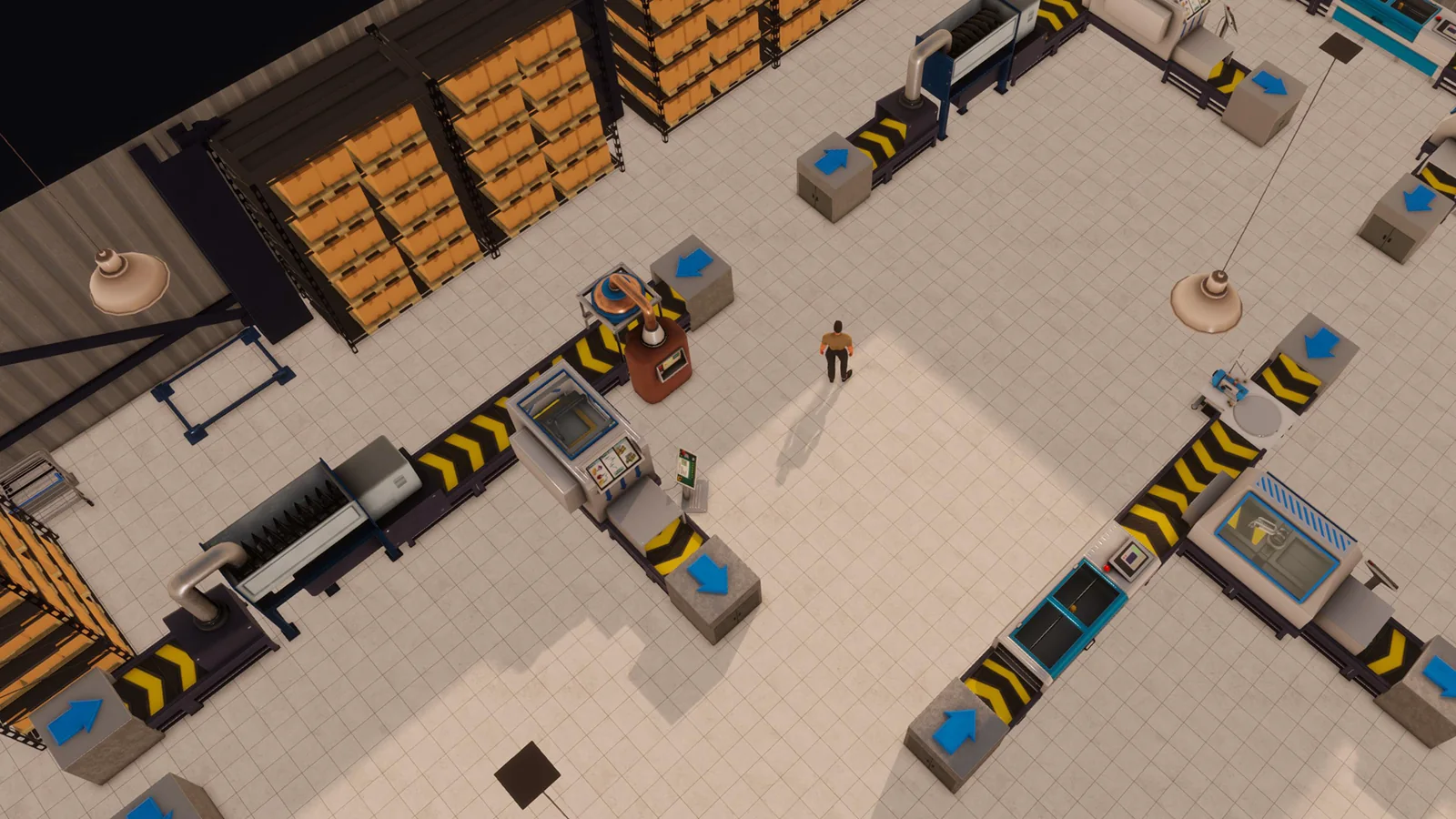
Current factories use the EA 0.10 production redesign: simplified unobstructed lines, meaningful worker skill, production targets, and a separate warehouse distribution layer.
Confirm build 3674 or later.
Complete operating playbook
- ARTICLE LENGTH
- 5,005 words
- DEEP-DIVE SECTIONS
- 18
- RESEARCH LEDGER
- 9
Factory model in 1.0 build 3674
Current factories use the EA 0.10 production redesign: simplified unobstructed lines, meaningful worker skill, production targets, and a separate warehouse distribution layer.
Official EA 0.10 notes describe a complete overhaul. Conveyor layouts no longer define production; workers no longer perform the old constant back-and-forth pattern; ingredient hoarding in one input station was addressed; line speeds increased; every product can be produced; and Factory Worker skill has a noticeable effect. Therefore pre-0.10 conveyor diagrams, component-chain ratios, and worker-output claims are rejected unless reproduced in build 3674.
The same redesign separates industrial roles. A factory produces and sends finished goods to a warehouse or eligible importer/exporter. A warehouse distributes to retail stores. The developer explicitly confirmed that direct factory-to-store delivery was intentionally removed. Build 3674 later repaired an employee quit-state defect that could stop production-adjacent systems such as imports and deliveries together. Update, continue into the next day, and retest before dismantling a valid build 3672 factory network.
Action checklist
- Confirm build 3674 or later.
- Use F1 Factory and product recipe entries.
- Ignore conveyor-era layouts.
- Plan a factory-to-warehouse-to-store chain.
- Label all measured rates with build, product, staffing, and skill.
| Era | Factory design | Status for this guide |
|---|---|---|
| Pre-0.10 | Conveyors and older component flow | Rejected as stale |
| EA 0.10 | Simplified lines, targets, stronger output | Current foundation |
| 1.0 build 3674 | Hotfix-stabilized employee/logistics execution | Review target |
Complete production dependency chain
A line can run only when business, recipe, machines, labor, inputs, storage, and outbound logistics are all valid.
The physical chain is industrial property registered as Factory to required recipe-specific machines to configured product to accessible raw-material storage to assigned Factory Workers and workstation schedule to non-zero production policy to output capacity. The inbound chain is raw-goods importer to Purchasing Agent contract and plan to Monday or urgent factory receipt. The outbound chain is factory Logistics Manager to vehicle bay to qualified Delivery Driver to distribution warehouse target and receiving capacity, then a separate warehouse logistics chain to stores.
Treat each arrow as a testable inventory transition. Import success is proven by raw-input growth at the factory. Production success is proven by input consumption and finished-output growth during a controlled staffed interval. Factory logistics success is proven by source/destination deltas at 02:00. Warehouse retail success is a later 02:00 handoff. An empty store cannot identify which of these stages failed; locate the last place where the exact SKU is present.
Action checklist
- Factory business type registered.
- Current F1 recipe transcribed.
- All required machines installed/configured.
- Inputs in reachable compatible storage.
- Factory Workers assigned and scheduled.
- Production target permits work.
- Output space free.
- Factory vehicle/driver/manager route active.
- Distribution warehouse and retail routes active.
| Stage | Controller | Pass evidence |
|---|---|---|
| Raw import | Purchasing Agent | Input inventory rises |
| Production | Machines/workers | Input falls and output rises |
| Factory dispatch | Factory Logistics Manager | 02:00 output transfer |
| Retail dispatch | Warehouse Logistics Manager | 02:00 store target fill |
Choose the product before the building
The product determines recipe, machine footprint, importer coverage, worker demand, output rate, and market outlet.
Open F1 Help for the intended finished product and transcribe every required input, machine, workstation, and sourcing note. Confirm that the retail businesses can sell the product and inspect current demand rather than assuming a high unit price guarantees throughput. Map each input to its current Piers 6–9 raw-goods importer after the EA 0.10 catalog expansion. Count required Purchasing Agent contracts and weekly per-location limits before signing an industrial lease.
Estimate demand-driven capacity. Let stores i sell a_i units per complete in-stock day and H be the planned operating days per week. Required weekly finished output Y = H times sum(a_i) times (1+g) + B - existing reliable supply, where g is expected growth and B is a chosen buffer. Compare Y with a measured build-3674 line rate, not an unversioned web number. If the product is also importable, compare landed import and production cost; if factory-only in standard mode, the decision is about scale and timing rather than source substitution.
Action checklist
- Verify sellers and market demand.
- Transcribe current recipe and machines.
- Map every input importer.
- Count agent contracts and weekly caps.
- Forecast Y from clean unit sales.
- Measure or pilot line capacity.
- Check finished-goods warehouse and route capacity.
| Product decision input | Question |
|---|---|
| Demand | How many units can current/planned stores sell? |
| Recipe | Which inputs and machines does F1 require? |
| Source | Can finished item be imported in this mode? |
| Capacity | How many staffed line-hours are required? |
| Economics | Does contribution cover labor, inputs, facilities, and logistics? |
Building, layout, and access
The redesign removed conveyor mazes, but machines, workers, input storage, output storage, and vehicle bays still need usable space.
Select an Industry City industrial property that fits the number of independent lines, pallet shelves for all inputs and outputs, worker movement, delivery spots, and vehicle bays. EA 0.9 added six Industry City warehouse sizes and Stonegood Architecture support for industrial blueprints. EA 0.10 made layouts cleaner and unobstructed, but a decorative dense fit can still make diagnosis difficult. Commission lines with visible separation and accessible interactions.
Reserve expansion lanes and receiving headroom. Monday 08:00 raw imports may create the weekly input peak, while production accumulates output until 02:00 factory logistics can move it. If inputs fill every pallet position, output can block even when machines are correctly staffed. Do not copy exact machines-per-building claims; furniture footprint, blueprint, product mix, worker count, and later balance changes differ. Measure the live layout and preserve an aisle to inspect each line.
Action checklist
- Register Factory, not Warehouse.
- Place recipe machines with clear access.
- Separate input and output storage zones for diagnosis.
- Reserve Monday input and pre-dispatch output headroom.
- Keep vehicle bays usable.
- Install one line first and prove it before duplicating.
- Save a tested blueprint only after validation.
| Space claim | Why needed | Failure if omitted |
|---|---|---|
| Input pallets | Hold weekly ingredients | Line starves |
| Output pallets | Hold production before dispatch | Line stops/full |
| Worker access | Reach production stations/storage | Idle staff |
| Vehicle bay | Enable factory outbound plan | No warehouse transfer |
| Expansion lane | Add capacity without rebuild | Costly cutover |
Current line configuration
A build-3674 commissioning procedure should follow F1 machine requirements and assume one configured product per independent line unless the live UI proves otherwise.
Recent explicitly 1.0 player testing reports that a jewelry production station consists of a Consumer Goods Assembly Machine plus the two recipe-specific machines, and that one connected station is configured for one product at a time. That report also notes no conveyor requirement. This is useful versioned evidence, but it is not an official universal machine count for every product family. F1 Help is authoritative for the exact combination and current recipe.
After placement, interact with each configurable machine or the line control exposed by the current UI. Select the intended product and set a production ceiling that allows a visible test. Confirm every required companion machine is recognized. Do not configure two intended SKUs on one line and assume automatic rotation; current 1.0 community testing reports that automatic day-by-day product switching is unavailable. Separate lines or schedule manual configuration changes, then label that process as manual.
Action checklist
- Use F1 list for the exact product.
- Confirm all required machines are linked/recognized.
- Assign one test product.
- Set a non-zero ceiling.
- Do not expect automatic multi-product rotation.
- Prove output before cloning the line.
| Claim | Evidence class | Use |
|---|---|---|
| No conveyors in current design | Official redesign plus current tests | Reject old belt layouts |
| One line configured for one product | Versioned 1.0 test | Plan separate concurrent SKUs |
| Three machines for tested jewelry line | Versioned 1.0 test | Do not generalize without F1 |
| Automatic recipe rotation unavailable | Recent 1.0 player observation | Manual or separate lines |
Workers, schedules, and skill
Factory Worker coverage and skill are production inputs, not merely staffing compliance.
Recruit Factory Workers, assign them to the factory, and schedule every exposed production workstation required by the line. The player cannot substitute personal labor for an unstaffed factory role in the management plan. Cover only the hours justified by demand and input supply. Employee demands, weekly status, and satisfaction still matter because resignation can remove a workstation and, before build 3674, a bugged quit state could affect other systems.
EA 0.10 officially states that Factory Worker skill has a noticeable production impact. Do not use guides claiming skill has no effect; those are stale or wrong. The exact rate function is not officially published. Model measured rate as q = F(product, line, worker skill, staffed hours, build). Measure output over a controlled interval at known skill and keep input/output storage unconstrained. When skill changes, repeat the same test before revising capacity plans.
Action checklist
- Hire correct Factory Worker role.
- Assign to factory and correct workstation.
- Schedule all required roles.
- Meet employee demands to reduce turnover risk.
- Record skill for every rate test.
- Keep inputs and output space nonbinding.
- Retest after training.
| Worker variable | Confirmed effect | Planning treatment |
|---|---|---|
| Assignment | Required for station | Boolean production gate |
| Schedule | Defines staffed time | Available line-hours |
| Skill | Officially affects output | Measure current rate |
| Satisfaction/retention | Affects continuity | Maintain backup or stock buffer |
Raw-material importing and weekly timing
Factories depend on Purchasing Agent plans whose standard inputs arrive Monday at 08:00.
Map each ingredient to its current raw-goods importer at Piers 6–9. One Purchasing Agent manages one importer contract, so multi-source recipes or product portfolios can require several agents. Orders are entered in individual units, have per-item weekly limits per receiving location, and can use Smart plus recurring target fills. The agent must be assigned to the plan before Sunday 20:00 in the documented 2026 workflow.
The factory's outbound Logistics Manager event occurs at 02:00, before Monday's raw receipt. Production between events and existing input stock determine whether lines bridge the weekly boundary. Set raw targets from recipe consumption plus safety stock, convert units to boxes using live item data, and reserve pallet capacity for all simultaneous receipts. An urgent order can recover a midweek shortage at the displayed premium, but it cannot create input storage or repair a misconfigured line.
Action checklist
- Map all ingredients to current importers.
- Assign enough Purchasing Agents/contracts.
- Finalize plans before Sunday 20:00.
- Use individual units and live weekly limits.
- Reserve Monday pallet headroom.
- Keep input bridge stock.
- Use urgent orders only after confirming inbound shortage.
| Event | Time | Factory implication |
|---|---|---|
| Purchasing lock | Sunday before 20:00 | Agent/plan must be valid |
| Factory logistics | Daily 02:00 | Moves prior output |
| Raw import | Monday 08:00 | Refills inputs |
| Production shift | Scheduled hours | Consumes inputs and creates output |
Recipe math and ingredient targets
Translate a finished-output plan into raw orders with the recipe basis shown in current F1 Help.
Let Y be desired finished units for the planning week. If the live recipe states that one production batch yields y finished units and consumes r_k units of ingredient k, required ingredient G_k = ceil(Y/y) times r_k. Add safety B_k and subtract usable on-hand H_k and reliable pending receipts P_k: order need O_k = max(0, G_k + B_k - H_k - P_k). Do not assume y=1; transcribe the recipe basis exactly.
Worked abstract example: a recipe yields 20 finished units per cycle and uses 4 units of A plus 2 of B. For Y=3,000, cycles=ceil(3,000/20)=150, so gross need is 600 A and 300 B. With safety 100 A/50 B and on-hand 120 A/80 B, order candidates are 580 A and 270 B before Smart inventory counting, limits, and box conversion. Replace these illustrative ratios with F1 values; they are not a Big Ambitions product recipe.
Action checklist
- Record recipe yield basis y.
- Record each input r_k.
- Calculate required cycles with ceiling.
- Add explicit safety by ingredient.
- Subtract only usable on-hand/pending supply.
- Apply smart, limit, cash, and capacity bounds.
- Validate against actual consumption.
| Variable | Meaning | Source |
|---|---|---|
| Y | Planned finished output | Store demand plan |
| y | Recipe output per basis | Current F1 |
| r_k | Ingredient per basis | Current F1 |
| B_k | Safety stock | Player policy |
| O_k | Candidate input order | Calculated then constrained |
Production targets and overproduction control
Use the line's stop-production ceiling to prevent one SKU from consuming all inputs and storage.
EA 0.10 preview patches increased the stop-production field to seven digits, confirming a target-based output control. Set the ceiling from downstream demand and reserve rather than leaving every line unlimited. Let D be weekly store demand, W current finished stock across the controlled location basis, and B desired safety stock. Candidate ceiling T = D + B, adjusted for how the live factory counts stock. Because the exact cross-location inventory basis is not fully documented, run a controlled test before assuming warehouse stock is included.
Recent 1.0 discussion reports no automatic product rotation and warns that unlimited production creates excess. When a line reaches its ceiling, the player may need to reconfigure manually if another product shares equipment. There may be no notification for every cap event, so include a factory review field for current output versus ceiling. If output continues beyond an expected cap, capture exact stock locations and build before calling it a bug; old EA 0.10 reports included target issues that may not represent 3674.
Action checklist
- Set a deliberate line ceiling.
- Document what inventory locations the test shows it counts.
- Compare ceiling to weekly demand plus safety.
- Review lines that reach cap.
- Use separate lines for concurrent products.
- Do not rely on export as the only control.
| Production policy | Advantage | Risk |
|---|---|---|
| Demand ceiling | Controls stock/cash | Needs review and accurate count basis |
| Unlimited | Minimal intervention | Clogging and weak export economics |
| Manual rotation | Shares equipment | Labor-intensive and no automatic switch |
| Dedicated lines | Predictable concurrent output | Higher capital and space |
Measure real line capacity
Use a controlled staffed interval because product, skill, and build affect output.
At test start record build, product, recipe, machines, production target, every worker and skill, scheduled hours, raw input inventory, output inventory, and free storage. Keep the target well above expected test output and eliminate outbound logistics during the interval or record it exactly. Run a closed measurement window of h staffed hours. Let DeltaO be finished output increase and DeltaI_k each input decrease. Measured line rate q = DeltaO/h units per staffed hour.
Repeat at least twice and report range, not false precision. A recent 1.0 player test reported 60 cheap-jewelry units per hour and 30 expensive-jewelry units per hour under its setup, yielding theoretical 10,080 and 5,040 over 24x7. This is valid as version-labelled player evidence, not a universal rate: worker skill, exact line state, difficulty or later balance may differ. Use it only as a hypothesis to reproduce.
Action checklist
- One product and one line.
- Inputs abundant and output space free.
- Target above test output.
- Outbound transfers disabled or measured.
- All worker skills recorded.
- Run known staffed hours.
- Compute q and repeat.
- Label range with build 3674.
| Field | Formula/record | Purpose |
|---|---|---|
| DeltaO | O_end - O_start + dispatched output | True production |
| h | Actual staffed line-hours | Denominator |
| q | DeltaO/h | Measured capacity |
| Input ratio | DeltaI_k/DeltaO | Recipe validation |
| Utilization | actual output/(q times scheduled hours) | Downtime signal |
Production economics and break-even
Compare factory landed cost with current importer alternatives and expected retail contribution using measured output.
For a period, total production cost C = raw-material cost + Factory Worker wages + allocated factory rent/utilities + machine/depreciation assumption + Purchasing Agent/HQ allocation + factory logistics + distribution warehouse allocation + expected export loss. Unit cost c = C/Y_good, where Y_good is finished units actually available for sale or valued export. Idle staffed hours and blocked output increase c; theoretical capacity is not the denominator.
If an importable finished product has landed import cost c_i, factory saving per unit is c_i-c. Fixed factory investment K has simple break-even units K/(c_i-c) when the saving is positive. For factory-only goods, compare retail contribution with total chain cost and capital opportunity. Difficulty, wages, locked Import Index, export price, and demand make another player's universal profitability ranking unreliable. Compute from the current save and include unsold inventory rather than valuing all production at retail price.
Action checklist
- Use actual good output.
- Price raw inputs at locked contract cost.
- Include labor and both logistics layers.
- Allocate HQ/facility overhead consistently.
- Value unsold and exported stock realistically.
- Calculate break-even only from positive incremental margin.
- Stress-test lower demand and export price.
| Metric | Formula | Warning |
|---|---|---|
| Factory unit cost | C/Y_good | Use actual output |
| Unit saving | c_i-c | Only for importable comparison |
| Break-even units | K/(c_i-c) | Invalid if saving <=0 |
| Capacity utilization | actual/theoretical measured | Low utilization raises cost |
| Sell-through | retail units sold/finished units | Production is not profit |
Outbound factory logistics
Finished goods must leave through a factory Logistics Manager plan and enter a distribution warehouse before reaching stores.
Assign a Logistics Manager in HQ to the factory, place a delivery-capable vehicle in a factory bay, and assign a qualified Delivery Driver. Add the distribution warehouse as a destination and enter a positive target. At 02:00, nominal request is max(0,T-D), where D is destination inventory; actual movement is bounded by factory output S and warehouse free capacity C. Vehicle manual cargo does not cap automated quantity, but vehicle class and manager skill limit destinations.
A factory may also send eligible excess to an importer/exporter. Developer discussion confirms a warehouse-first then exporter sequence can be created by destination ordering and a large export target, but current 1.0 export economics react to Import Index and market supply. Test order and prices. Do not send directly to stores; that topology is intentionally unsupported after 0.10. The distribution warehouse needs its own manager, vehicle, driver, store targets, and space.
Action checklist
- Factory manager plan active.
- Vehicle in factory bay.
- Qualified driver assigned.
- Distribution warehouse destination and positive target.
- Warehouse pallet headroom.
- Separate warehouse-to-store plan.
- Exporter placed only after internal reserve in tested order.
| Factory destination | Purpose | Constraint |
|---|---|---|
| Distribution warehouse | Retail supply staging | Target, source output, receiver space |
| Importer/exporter | Sell eligible excess | Price/index and destination order |
| Retail store | Not supported post-0.10 | Use warehouse intermediate |
| Second warehouse | Network split | Consumes destination capacity |
Export economics and saturation caveat
Export is a market transaction, not a free overflow drain.
EA 0.10 build 3463 fixed an incorrectly low Import Index that caused low export prices for expensive jewelry and electronics and stated that active businesses selling an item should raise the index, improving manufacture-and-export economics. In 1.0, recent players report that heavy exports can weaken subsequent prices during the week. That observation is version-labelled but not a published universal formula; track the displayed price before and after batches.
For export batch e with quantity Q_e and unit price p_e, revenue is Q_e times p_e. Compare p_e with marginal production cost, not average retail price. Define minimum acceptable export price p_min as raw input plus variable labor and other avoidable unit costs, or a higher policy floor that recovers capital. If p_e < p_min, stop or store output if capacity allows. Unlimited production plus unconditional export can convert profitable retail lines into loss-making volume.
Action checklist
- Record displayed export price and Import Index.
- Calculate marginal unit cost.
- Set an export price floor.
- Export measured batches.
- Observe price/index after each batch and week reset.
- Prefer production control when export turns uneconomic.
| Export field | Calculation/use |
|---|---|
| Q_e | Units in batch |
| p_e | Observed unit price |
| Revenue | Q_e times p_e |
| p_min | Avoidable cost or policy floor |
| Price response | Record after batch; no universal formula asserted |
Factory failure diagnostic procedure
Diagnose from the first missing inventory transition rather than rearranging every machine.
If no raw inputs arrive, audit Purchasing Agent plan assignment before Sunday 20:00, contract, SKU, target, weekly limit, cash, and pallet capacity. If inputs exist but no production occurs, inspect recipe, required machines, product selection, production ceiling, Factory Worker assignment/schedule/skill, worker access, and output space. If output exists but warehouse is empty, inspect factory Logistics Manager, vehicle, driver, destination target, 02:00 timing, and receiving space.
If the warehouse has finished goods but stores are empty, the factory succeeded; inspect the warehouse's separate routes. If one line stops, focus on that recipe, input, target, worker, and output area. If all factories, imports, and deliveries stop simultaneously in a build 3672-origin save, update to 3674 and advance a day. If a controlled line still violates expected input/output deltas, save screenshots and submit F2 with exact build, line, employees, stock, target, interval, and result.
Action checklist
- Raw input receipt proven?
- Exact recipe inputs on hand?
- All machines recognized/configured?
- Production target permits work?
- Workers assigned and scheduled?
- Output space free?
- Factory route valid at 02:00?
- Warehouse downstream route valid?
- Build 3674 recovery applied?
| Last proven stock | Failed transition | Owner |
|---|---|---|
| Importer only | Receipt to factory | Purchasing plan/storage |
| Factory raw inputs | Production | Line/workers/target/output |
| Factory output | Factory to warehouse | Factory logistics |
| Warehouse output stock | Warehouse to store | Warehouse logistics |
| Store stock | Retail sale | Store operation/demand |
Scaling gates
Add factory capacity only when demand, input, line-hours, storage, logistics, or risk measurements justify it.
Demand gate: stores cannot sell current output, so another line creates inventory rather than profit. Line-hour gate: required Y exceeds measured q times sustainable staffed hours. Input gate: weekly raw limit or contracts cannot feed more output. Storage gate: Monday inputs or daily output approach capacity. Route gate: factory vehicle cannot add another warehouse/exporter. Labor gate: qualified workers or acceptable schedules are unavailable. Market gate: export price falls below marginal cost. Each requires a different response.
Scale in modules. Prove one line, measure q and input ratios, then clone the tested module. Add workers and input orders before activating the new line. Increase warehouse target and capacity before output arrives. Preserve enough raw and finished buffer for commissioning variance. A larger factory can reduce site count but concentrates outage and makes product switching harder. Dedicated factories simplify flow; mixed factories share fixed costs but compete for storage and management attention.
Action checklist
- Name and measure the binding gate.
- Confirm downstream sell-through.
- Secure raw input capacity.
- Recruit/train workers before machines activate.
- Expand output storage and routes first.
- Clone a measured module.
- Review export floor and concentration risk.
| Gate | Metric | Lever |
|---|---|---|
| Demand | Sell-through | More stores or less production |
| Line | Y/(q times hours) | Hours, skill, or lines |
| Input | Need/import limit | Source/location/contracts |
| Storage | Peak occupancy | Shelves/site/split |
| Route | Destinations used/available | Vehicle/manager/bay |
| Export | p_e-p_min | Store, slow, or stop |
Commissioning and acceptance test
A factory is accepted only after inbound, production, outbound, and downstream handoffs each pass independently.
Stage one: import a controlled quantity of each input and reconcile Monday or urgent receipt. Stage two: run one configured line for a known staffed interval with no outbound movement, record input decrease and output increase, and calculate q. Stage three: create one factory-to-warehouse target, record S/D/T/C at 01:59, and reconcile the 02:00 transfer. Stage four: create one warehouse-to-store target and reconcile the next 02:00 movement.
Acceptance criteria should be numeric: all required inputs received within bounds; output produced with a repeatable positive rate; recipe consumption ratios consistent with F1; no unexplained idle hours; factory output transferred to the correct warehouse; store target filled; and no storage warning. Keep the line below large-scale operation until two comparable shifts pass. When adding products, repeat production-stage acceptance because a working jewelry line does not prove a food recipe.
Action checklist
- Inbound receipt test.
- One-line production test.
- Input-ratio reconciliation.
- Factory route test.
- Warehouse route test.
- Two repeatable shifts.
- Warnings resolved.
- Baseline archived before scaling.
| Stage | Input record | Pass result |
|---|---|---|
| Inbound | Plan, target, limit, cash, space | Expected raw units arrive |
| Production | Skills, hours, inputs, target | Repeatable q and ratios |
| Factory dispatch | S,D,T,C | Predicted Q moves |
| Retail dispatch | Warehouse/store S,D,T,C | Store reaches target |
Factory operations ledger
Track every product as demand, recipe, capacity, cost, storage, and route records joined by week and build.
Record build, factory, line, product, recipe version, machines, ceiling, workers and skills, scheduled hours, actual staffed hours, starting/ending inputs, starting/ending output, dispatched units, q, utilization, raw unit prices, labor, allocated overhead, unit cost, warehouse target, retail sales, sell-through, exported units, export price, warnings, and downtime reason. For inputs record agent, importer, Smart/recurring state, Sunday stock, Monday receipt, weekly limit, and pallet use.
Review raw coverage before Sunday lock, staffing daily, line ceilings and output space before 02:00, receipts Monday 08:00, and retail sell-through weekly. Calculate days of raw cover, line utilization, yield ratio, finished days of cover, unit cost, and export margin. Change only one major variable per test. Preserve pre-change rates so a balance patch, skill increase, or recipe change can be identified instead of hidden inside a blended average.
Reconcile material flow for every controlled period. Beginning input plus receipts minus ending input should match measured consumption after accounting for manual transfers. Beginning finished stock plus production minus ending finished stock should match warehouse dispatch plus exports and other documented movement. Store the unexplained variance rather than forcing it into production. A variance that begins exactly at 02:00 is likely a logistics measurement issue; one that grows during staffed hours points toward line accounting or an unrecorded product change.
Add downtime categories: no input, no output space, unstaffed station, worker unavailable, production ceiling reached, machine or recipe not recognized, outbound congestion, and unknown. Utilization without a reason code only says output was low. Reason-coded hours identify whether the next investment should be raw contracts, shelves, workers, another line, a higher target, or a route. Review unknown downtime with a one-line acceptance test before adding equipment.
Keep demand allocation beside the production ledger. For every finished SKU, identify the stores, distribution warehouse, daily target, expected weekly sell-through, and exporter fallback. Sum planned outlets and compare them with measured output. This prevents a line from being scaled because its factory inventory stays low when the real reason is indiscriminate exporting, and it prevents export stock from being valued as if every unit will receive the retail margin. Reconcile physical flow and economic destination together.
Action checklist
- Daily input/output/target check.
- Weekly demand and sell-through review.
- Sunday raw-plan audit.
- Monday receipt reconciliation.
- Skill-labelled rate tests.
- Export price/margin log.
- Reason-coded downtime.
- Versioned baselines retained.
| Metric | Formula | Use |
|---|---|---|
| Line rate q | good output/staffed hours | Capacity |
| Utilization | actual/(q times scheduled hours) | Downtime |
| Yield | output/input by recipe basis | Configuration |
| Sell-through | retail sold/finished produced | Demand gate |
| Export margin | p_e-marginal cost | Overflow decision |
Version caveats and rejected claims
Factory systems changed too much in EA 0.10 for older universal recipes, layouts, or rates to be reliable.
Reject conveyor requirements, direct factory-to-store routes, claims that Factory Worker skill has no effect, pre-0.10 pier maps, and old component production chains. Official 0.10 notes supersede them. Reject universal machines-per-product and units-per-hour claims unless the product, skills, schedule, target, and build are stated. Recent 1.0 jewelry rates are included only as a reproducible hypothesis, not a master table.
Do not publish exact recipe ratios, machine prices, wages, rent, import caps, box sizes, or export formulas from stale sources. Read F1 and live UI. The production ceiling's exact inventory-count basis should be tested per build. Export price response is economically important but not reduced here to an unsupported equation. Build 3674 fixed shared execution failure; it did not announce a recipe or rate rebalance. Retest after any patch mentioning factory speed, worker skill, recipes, imports, export index, storage, or logistics. Archive the prior measured line rate, recipe screenshot, staffing state, and material-flow ledger before loading a relevant patch so any change can be reproduced rather than guessed.
Action checklist
- Anchor design to EA 0.10+.
- Use F1 recipes.
- Label every rate test.
- Separate official mechanics from player measurements.
- Use live prices and limits.
- Retest after relevant patches.
| Rejected claim | Reason | Current replacement |
|---|---|---|
| Factories need conveyors | Pre-0.10 | Use current simplified line |
| Factory ships to stores | Intentionally removed | Factory to warehouse to store |
| Worker skill does nothing | Contradicts official 0.10 | Skill measurably matters |
| Jewelry always makes 60/30 per hour | One versioned player test | Reproduce with recorded setup |
Research ledger
These links establish mechanics or provide a reproducible lead. Any balance-sensitive number still has to be checked in the current save.
Questions answered
Do factories still need conveyor belts?
No in the EA 0.10 redesign. Official notes describe clean unobstructed layouts, and current 1.0 tests use configured machine groups without the old conveyor chain. Follow F1 for each product.
Can a factory deliver directly to a store?
No in the current intended topology. The developer states factories send to warehouses or eligible importers/exporters, while warehouses distribute to stores.
Does Factory Worker skill matter?
Yes. EA 0.10 official notes say it has a noticeable production impact. The exact rate formula is not published, so measure output with product, worker skill, and staffed hours recorded.
How many machines does one product need?
Use the current F1 recipe. A recent 1.0 jewelry test used one assembly machine and two specialty machines, but that is not evidence that every product requires exactly three.
Why are raw materials present but production is zero?
Check exact recipe, every required machine, product selection, non-zero ceiling, Factory Worker assignment and schedule, access, and output space. Test one line with outbound routes measured or disabled.
How do I prevent overproduction?
Set and test the line's stop-production ceiling from expected sell-through plus safety stock. Current reports say recipes do not rotate automatically, so use dedicated lines or manual switching. Export only when price exceeds your floor.
Why is finished output not reaching stores?
Prove factory-to-warehouse transfer at 02:00, then the warehouse's separate store route. Direct factory-to-store plans are obsolete. Check source output, destination targets, vehicle/driver/manager, and receiving space.
What should a factory F2 report contain?
Build, factory, product, F1 recipe, machines/configuration, production target, workers/skills/schedules, starting and ending inputs/output, storage space, exact test interval, outbound movements, manager/vehicle route, warnings, and expected versus observed result.